Price calendar
With the price calendar, you set prices and restrictions per date instead of per season. You define a few configurations, such as High season and Low season, and apply them to dates on a calendar.
Turn on the price calendar
Open a unit.
Go to Rent.
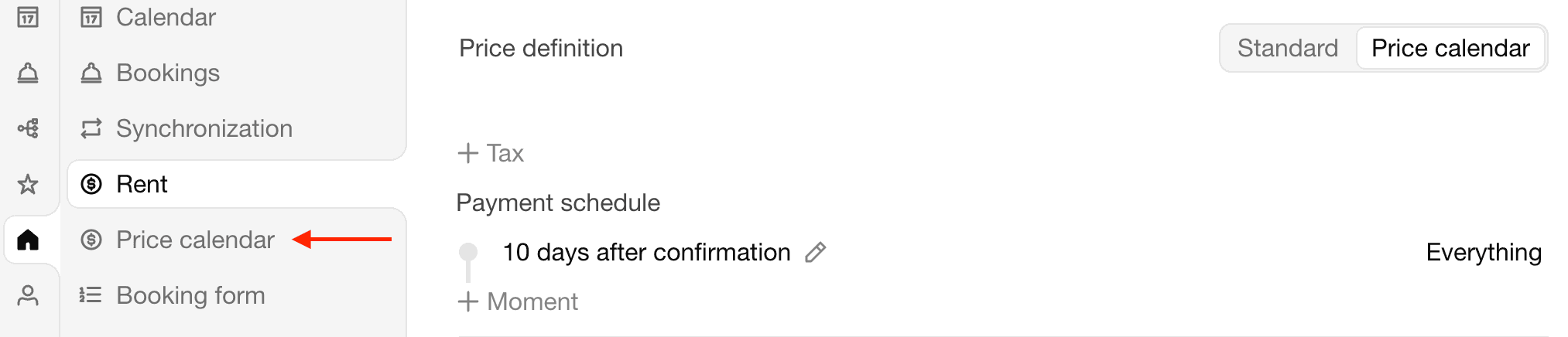
Under Price definition, choose Price calendar.

The unit gets a Price calendar tab.
Add a configuration
Go to Price calendar.
Click + Configuration.
Set the restrictions and rates.
Restrictions
The days of the week guests can arrive and depart.
How far in advance guests can book.
The minimum and maximum length of a stay.
Rates
The price per night can be:
Flat: one price per night.
Per number of guests: for example 100 per night for 4-6 guests, 75 per night for 1-3 guests.
Per night of the stay: for example 100 per night for the first 7 nights, 75 per night after that.
Per number of guests and night of the stay: a combination of both.
Apply a configuration to dates
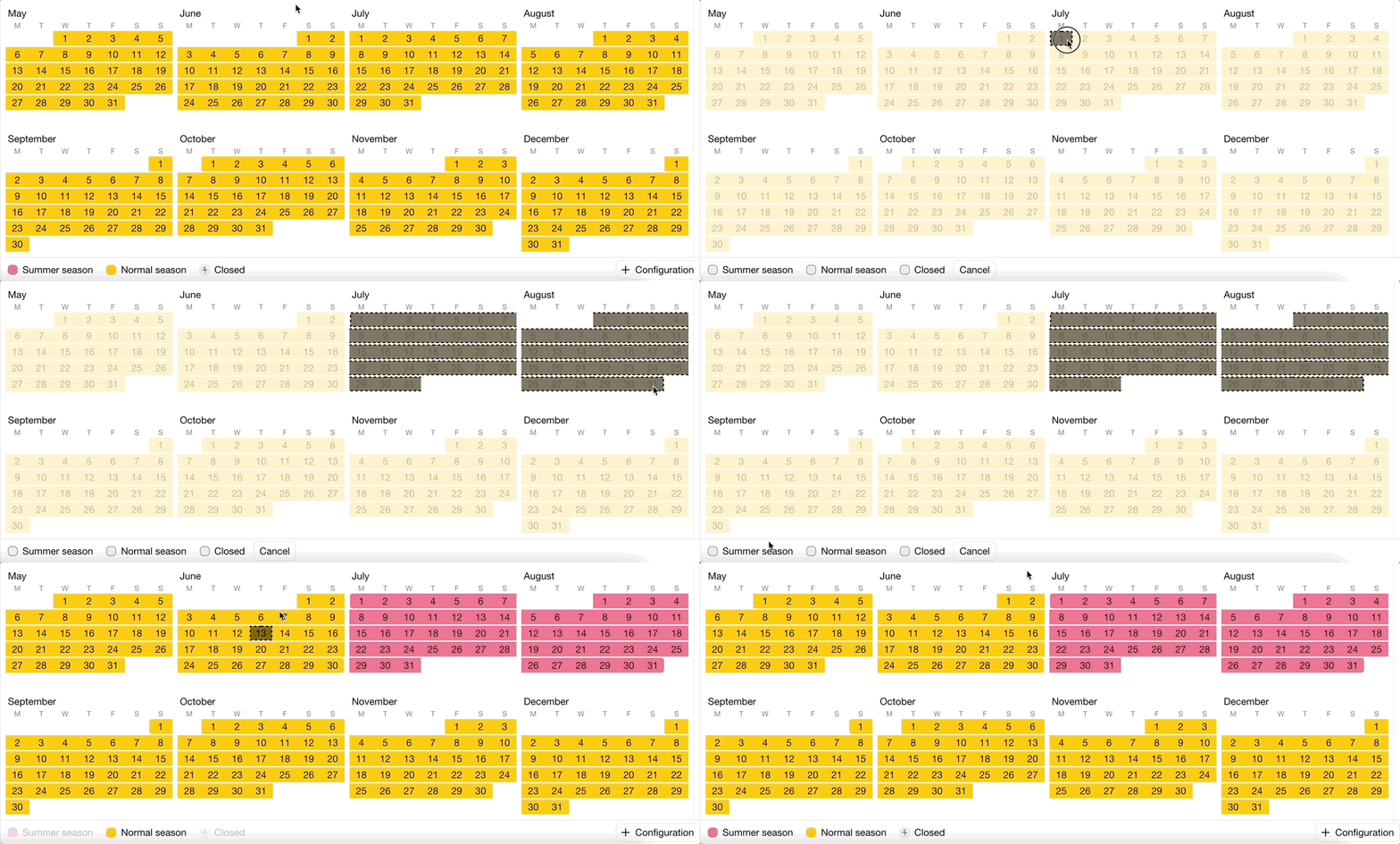
Select dates on the calendar.
Choose a configuration, or Closed to make the dates unavailable.
Fees such as a cleaning fee are still added in the booking form.
Ostatnia modyfikacja 3 listopada 2026