Google VR
Connect your Bookingmood availability with Google Vacation Rentals and reach more travelers searching for unique stays.
Integrate Bookingmood with Google Vacation Rentals to showcase your properties to a wider audience of travelers while keeping your availability and booking information synchronized. This integration helps vacation rental businesses increase visibility across Google’s travel ecosystem, reduce manual updates, and provide guests with a seamless path from discovery to direct booking.
With Bookingmood’s Google Vacation Rentals integration, your property availability, rates, and booking details can be connected to Google’s vacation rental search experience, helping potential guests find your accommodations when they are actively planning their trips. Drive more direct bookings, improve operational efficiency, and manage your inventory from one central booking system.
Set up
Bookingmood has a live integration with Google Vacation Rentals (Google VR). This integration offers a straightforward way to increase your property exposure on Google Search and Google Maps.
We've simplified the process with an easy-to-use interface where you can input the necessary data and track the approval status of your units.
Learn more about Google Vacation Rentals
Getting started
Go to your Organization.
Click on Channels.
Click New channel.
Select Google Vacation Rentals.
Fill in all required fields.
We will now review your listings. From time to time listings get published.
Note that we have no influence on when and how often your vacation rental will be displayed on Google.
Capacity groups
Select the capacity group Google Vacation Rentals should use as the total guest capacity. If you work with separate groups, for example Adults, Children and Infants, select a combined 'sum of' group, such as Guests. This prevents Google from adding group limits together and showing a higher capacity than your rental allows.

Why a check fails
Each listing shows its required checks. When a check fails or still waits for review, the listing explains why, for example:
Bookings are not enabled: guests from Google book their stay in your widget, which needs the Booking plan. On the Availability plan this check fails.
URL is unique: another listing links to the same page. Give each listing the page of its own unit.
No widget or script found on the page: Bookingmood then checks the page by hand.
Hover over Doesn't meet requirements in the list of listings to see what is missing without opening the listing.
Free cancellation
Google shows rates as non-refundable unless it knows otherwise. To show your free cancellation on Google, set Free cancellation in the unit's Settings to the number of days before arrival until which guests can cancel for free. Bookingmood sends this to Google with the rates of the listing. Units without free cancellation show nothing about refunds.
The setting is informational: Bookingmood doesn't refund cancelled bookings automatically.
Website builders that hide the widget from Google
Google checks that the URL of each listing shows your Bookingmood widget, and that the dates and number of guests from Google reach it. Some website builders, such as GoDaddy, put embed code in a frame Google can't look into, so these checks fail.
In that case, use the widget's own page as the listing URL:
Go to Channels and open the widget of the unit, or create one.
Click Embed, choose oEmbed and copy the link.
In the Google Vacation Rentals channel, open the listing, paste the link as URL and click Save & validate.
Guests coming from Google then book on the widget's page instead of on your website.
Check if your vacation rental is published
Go to Channels.
Click on Google Vacation Rentals.
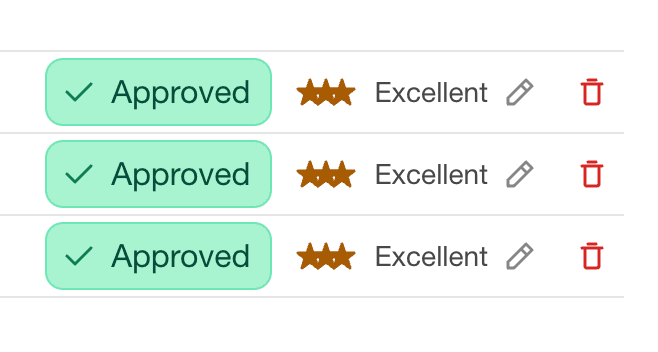
When the status is Approved, your vacation rental will (soon) start displaying on Google.