ゲストとのパーソナルで合理的なコミュニケーション
メッセージングセンターからパーソナライズされたメッセージを送信したり、自動化されたEメールをスケジュールして、定期的な作業を減らすことができます。
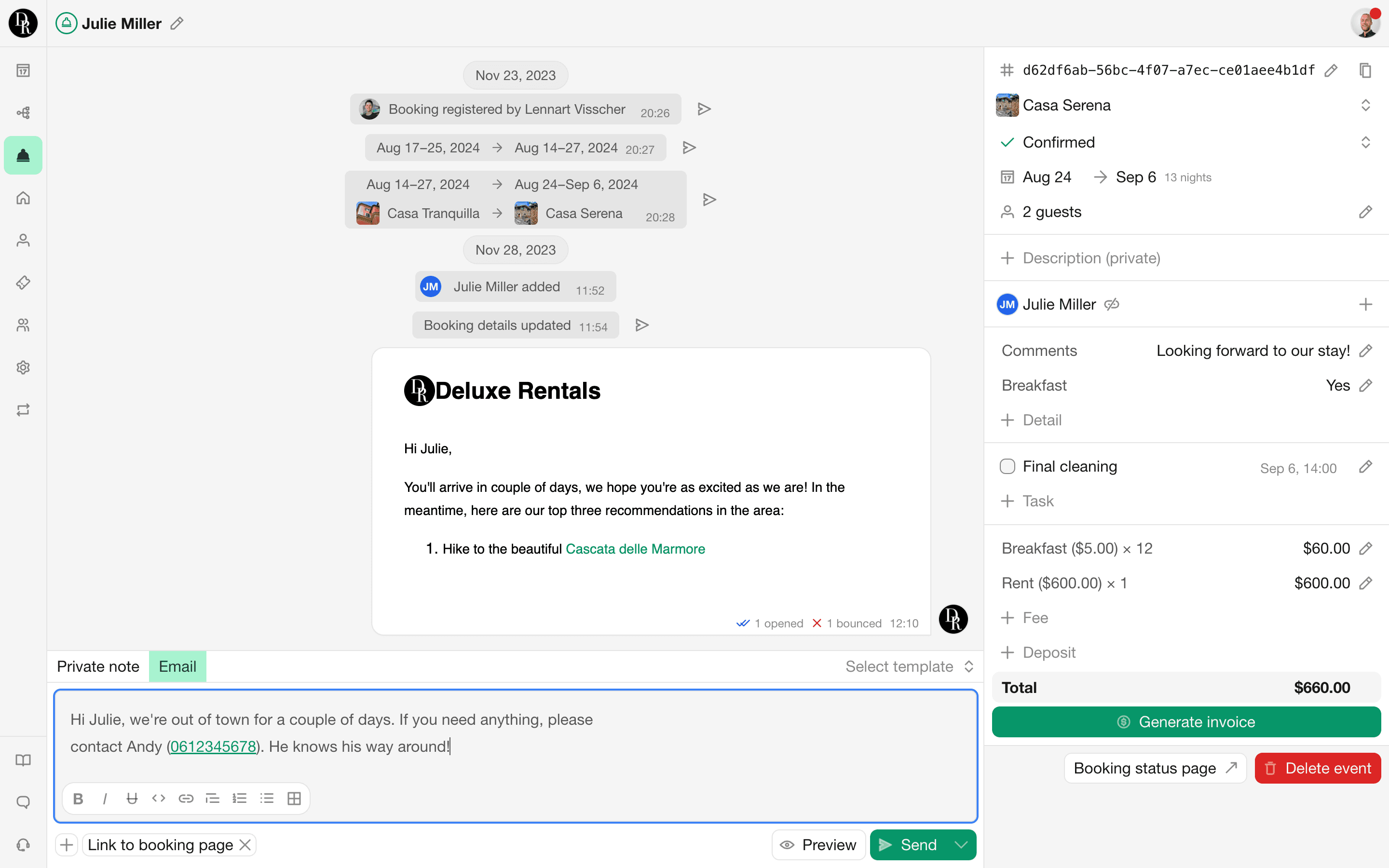
メッセージングセンターからパーソナライズされたメッセージを送信したり、自動化されたEメールをスケジュールして、定期的な作業を減らすことができます。
Every booking has a Messages tab. The central place where all guest communication for that booking comes together. Everything is shown on a chronological timeline, so you can exactly see what’s sent, to who, and when.

Got something to share with your guests? Send them an email directly from Bookingmood. No need to CC your colleagues, they can see the mail right from the messaging tab.

Avoid duplicate work by using templates. These templates support variables, attachments and can be translated into the your guest's preferred language.

Configure them once and they'll be sent for every booking. Our automated emails ensure you never miss important details, whether it's sharing directions or requesting guest reviews. Schedule them based on arrival or departure, or triggered events like completed payments.

By default, our emails are sent from a @bookingmood.com address. If you have your own domain, enhance the professionalism of your communication by using a custom sender email address.

Every booking recorded in Bookingmood comes with a private status page (of course, with customization options). On this page, guests can access their booking details, view financial information, and make payments.

Access all your guest information in one place. View past guests, related bookings, and easily edit or download their information as needed.

Yes. When a guest makes a booking, or when you manually add a booking, Bookingmood creates a contact with the client’s details. You can reuse these contact details for future bookings or export them when needed.
Yes. You can send emails and SMS messages directly from a booking. All communication is stored in the booking’s Messages tab.
Yes. Emails sent from Bookingmood are stored with the booking, so colleagues with access to the booking can view the communication without being copied into every email.
Yes. And templates support variables that are automatically replaced with information from the booking, such as the guest’s name, arrival date, departure date, rental unit and booking reference.
Yes. You can create triggered and scheduled emails and SMS messages that are sent automatically.
Messages can be scheduled around events such as arrival or departure, or triggered by actions such as a submitted booking request or completed payment.
Yes. You can configure a custom sender name and an email address that uses a domain you own. You will need to apply the provided DNS settings through your hosting provider.
予約管理
予約状況を常に把握
コラボレーション
アプリ内コミュニケーション、パーミッション
予約フロー
設定可能な料金と制限
埋め込み可能なウィジェット
ブッキングムード
ウェブサイトビルダー
カスタマイズ可能なノーコードウェブサイト
Bookingmoodを活用して、直接予約を増やし、ゲストとのより強固な関係を築いている1200社以上の独立系バケーションレンタル事業者に加わりましょう。