
QuillBot
Add Bookingmood booking calendars to your QuillBot website
QuillBot doesn't support embedded code, but you can link a button or text to your Bookingmood widget. Guests click through to check availability and book your rental, and every change you make in Bookingmood is reflected automatically.
Create a widget
Create a widget in Bookingmood. Widgets explains how.
Click Embed and copy the oEmbed link. You need it in the next step.
Link to the widget from QuillBot
Right-click a button or text and click Link.
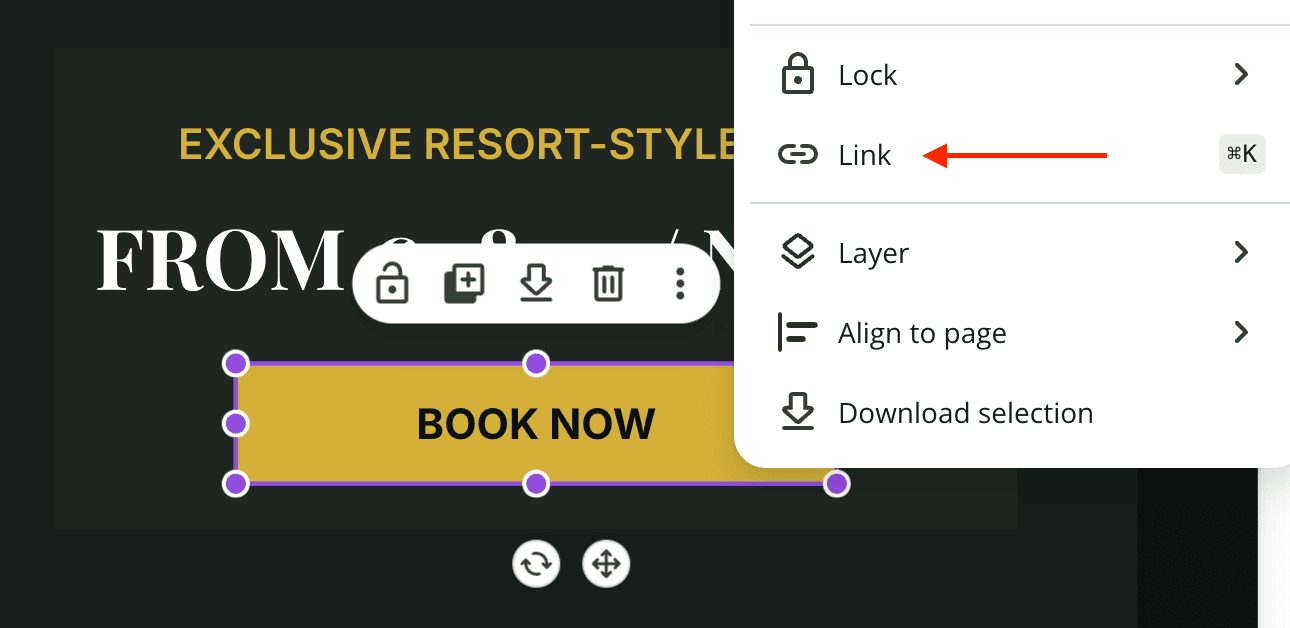
Paste the oEmbed link.
That's it. Guests can now open your calendar from your website, and changes you make in Bookingmood show up automatically.
Why use Bookingmood with QuillBot?
QuillBot creates websites and apps with AI. It takes care of your website, and Bookingmood adds the booking system behind it. With Bookingmood you can:
Take direct bookings on your own website, without commission
Show real-time availability
Sync calendars with Airbnb, Booking.com and other channels
Set prices and availability rules
Take online payments
Manage all reservations from one dashboard
Match the widget to the colors and style of your website
It suits vacation rentals, holiday homes, villas, apartments, B&Bs, boutique hotels and glampings, and rental businesses such as boats, bikes and equipment.