Your account
Your account is personal: it's how you sign in, and it can be a member of several organizations. Open the profile menu at the bottom of the side navigation to change your settings.
Profile
Go to the profile menu › Profile. Here you can change:
Your name and Profile picture.
Display language: the language of the admin panel. This doesn't change the language of your widgets or website; see Languages.
Color scheme: light, dark or the setting of your device.
Week starts on: the first day of the week in calendars in the admin panel. Widgets and websites have their own Week starts on setting.
You can also switch the Language and Color scheme directly from the profile menu.
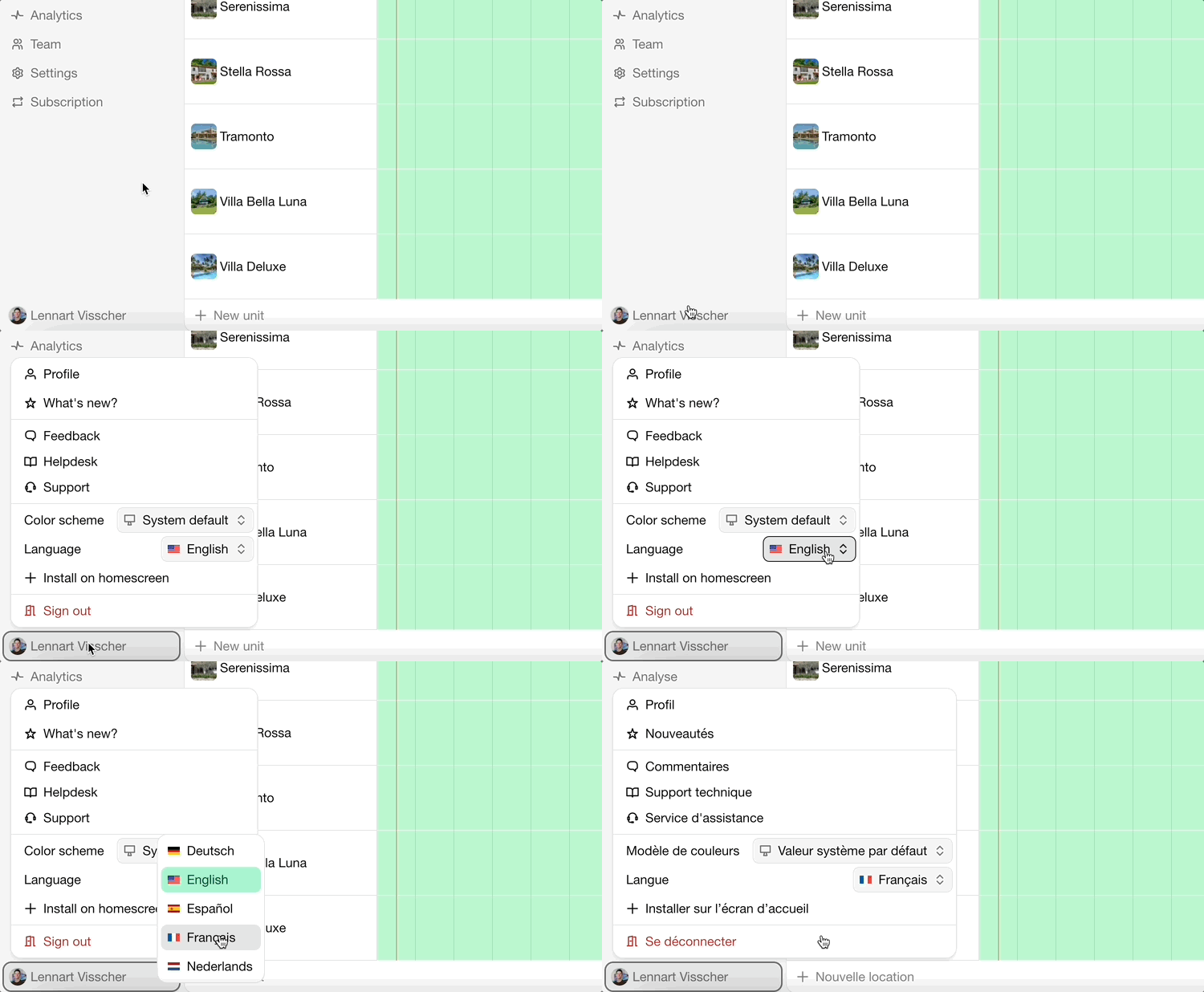
Bookingmood is available in these languages:
be-BYbaltarusiųbg-BGbulgarųcs-CZčekųda-DKdanųde-DEvokiečiųen-GBDidžiosios Britanijos anglųen-NZanglų (Naujoji Zelandija)en-USJungtinių Valstijų anglųes-ESispanųeu-ESbaskųfr-FRprancūzųgr-ELΕλληνικάhe-ILhebrajųhr-HRkroatųhu-HUvengrųit-ITitalųja-JPjaponųlt-LTlietuviųlv-LVlatviųnl-NLolandųnn-NOnaujoji norvegųpl-PLlenkųpt-BRportugalųro-ROrumunųru-RUrusųsk-SKslovakųsl-SIslovėnųsr-Cyrlserbų (kirilica)sr-Latnserbų (lotynų)sv-SEšvedųtr-TRturkųuk-UAukrainiečių
Sign-in and security
Go to the profile menu › Authentication.
Email address: used to sign in and to contact you. After changing it, confirm the change from both your old and your new inbox.
New password: enter a safe, unique password.
Phone number: used for SMS notifications. Enter it in international format, for example +31 6 12345678.
Passkeys: sign in with your device's fingerprint, face recognition or PIN instead of a password.
Multi-factor authentication: add an Authenticator app (scan the QR code, then enter the code it shows) so signing in requires a second step.
Forgot your password?
Go to the sign-in page.
Click Forgot your password? and enter your email address.
Click Send one-time password.
Enter the one-time password from the email.
Notifications
Which emails and messages you receive is set per account, under profile menu › Notifications. See Notifications.
Delete your account
Cancel the subscriptions of organizations you own, see Cancellation.
Go to the profile menu › Profile.
Click Delete account and confirm. This can't be undone.
Paskutinį kartą pakeista 2026 m. lapkričio 3 d.