10Web
You can embed calendars from Bookingmood in 10Web.
Create a widget
You will need to create a widget in Bookingmood first. Learn how to create it here: Creating a widget.
Click on Embed and copy the Inline embed code. You will need this in the next step.
Add the widget to your 10Web project
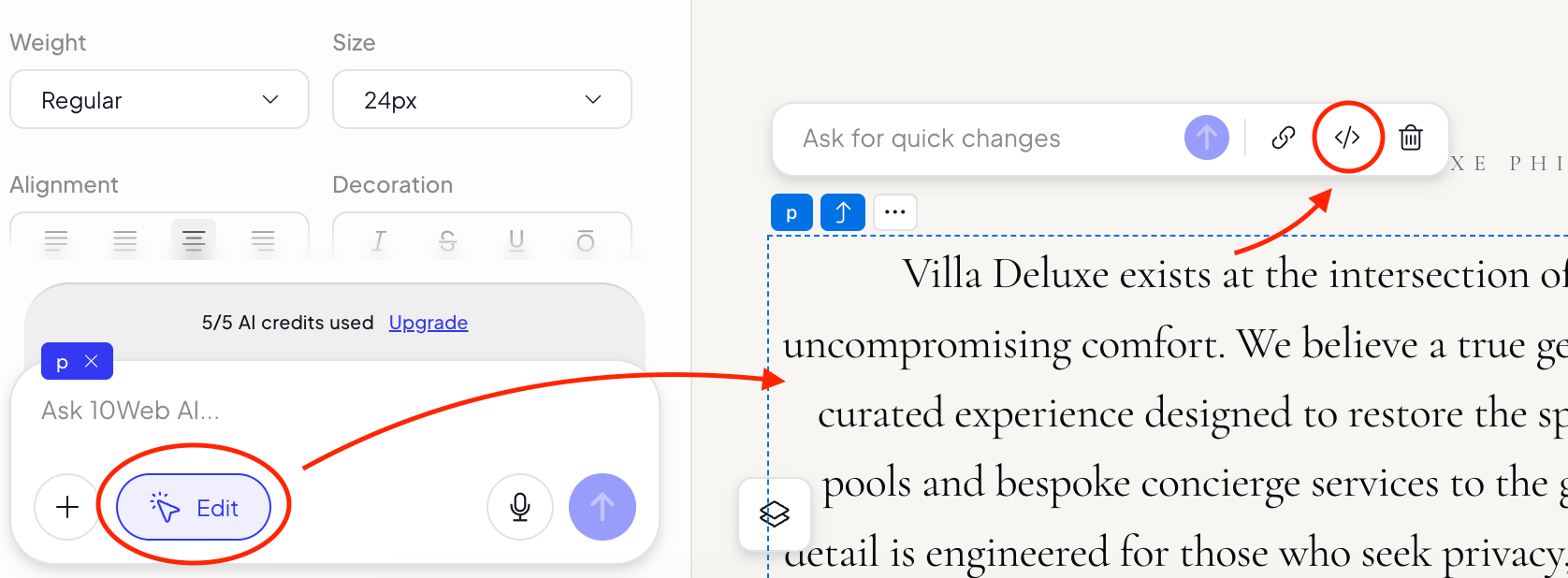
Click on Edit.
Click on the element where you want to add the widget.
Click on the code icon.
Go to the place where you want to embed the widget.
Paste the following embed code. Make sure that you replace YOUR-URL with your own.
<script src="https://www.bookingmood.com/js/resize.js"></script>
<iframe
    src="YOUR-URL"
    style={{
      width: "100%",
      border: "none",
      minHeight: "700px",
    }}
    title="Bookingmood calendar widget"
  />
Save it.
🎉 You're done and everything is set! Changes you make to your calendar will automatically reflect on your website.