Capacity
The capacity of a unit is how many guests it can host. When guests count differently, for example because children pay less, split the capacity into groups such as Adults and Children.
Capacity groups are shared by all units of your organization; each unit sets its own minimum and maximum per group.
Add a capacity group
Open a unit.
Go to Settings.
Under Capacity, click + Group.
| Field | Description |
|---|---|
| Name | The singular and plural form of the group, for example Adult and Adults. |
| Type | Manual input: set a minimum and maximum for this group. Sum of other groups: the minimum and maximum apply to the total of other groups. |
| Description | Shown with the group in the booking form, for example 0-18 years for Children. |
| Require explicit input in booking form | Guests must enter a number for this group themselves. |
Deleting a group removes it from all units in the organization.
Example
The example below has 3 groups:
Adults
Children
Guests: the sum of Adults and Children
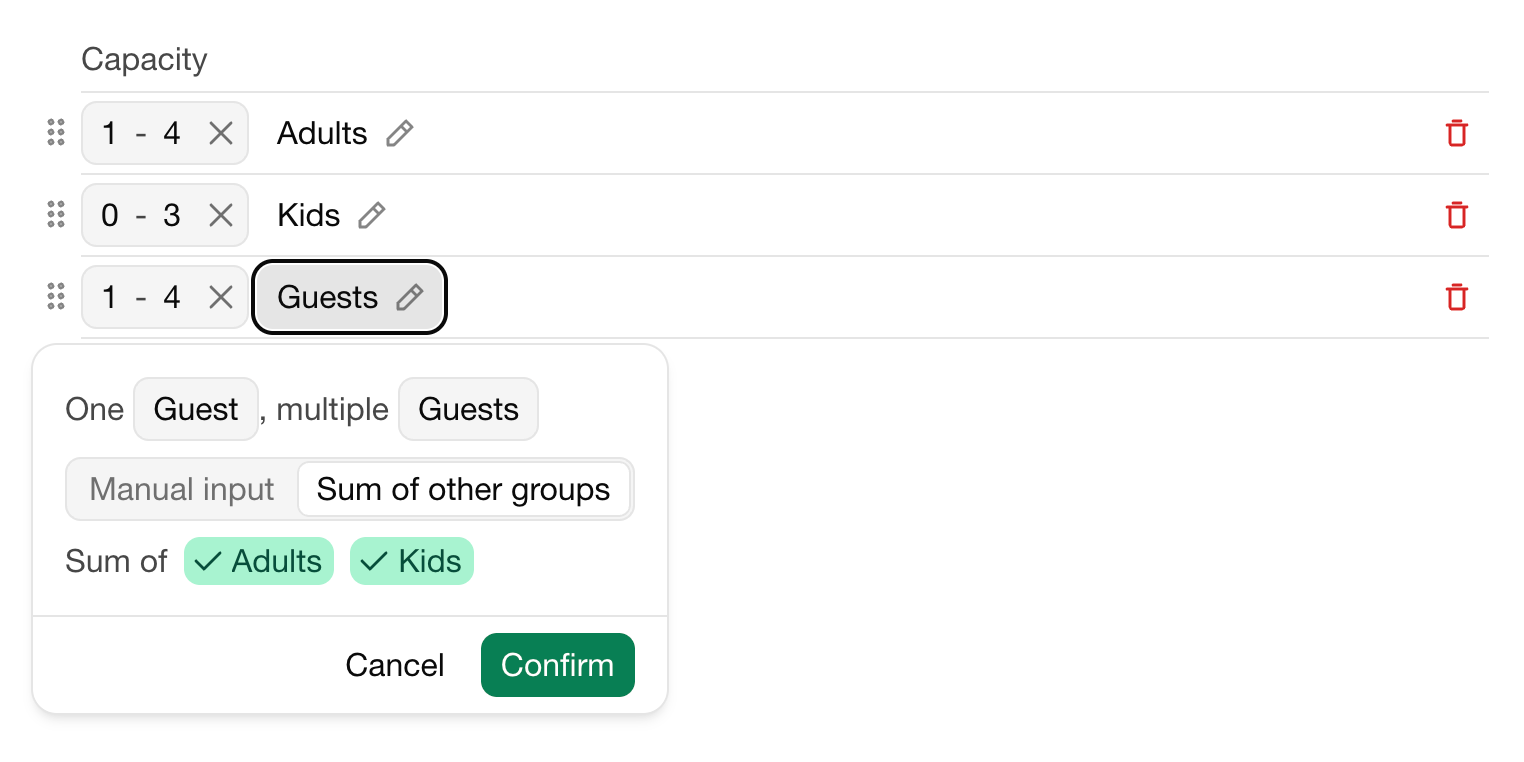
The unit hosts at most 4 Guests, and at least 1 Adult is required.
Rent prices can depend on the number of guests per group, see Rent prices.
Апошняя змена 3 лістапада 2026 г.