Booking forms
Each unit has a booking form that guests fill in when they book. It asks for their contact details and anything else you need to know, and it can add prices, such as a cleaning fee or an optional breakfast.
Open a unit and go to Booking form. The form has two parts: Contact details and Booking details.
Contact details
The fields that describe the guest: name, email address, phone number, address and custom contact details. Guests who book are saved as contacts with these details.
For each field, choose whether it's Required, Optional or Hidden, and how it's shown:
Name field: First + last name or a Single field.
Phone field: International, and optionally With SMS opt-in, so guests can agree to receive SMS messages.
Address field: Segmented (street, city, ZIP code, country) or a single field.
Custom contact detail: any other detail you want to save with the contact, such as a license plate.
Booking details
Questions about the stay. Click + Field and choose a New field or an Existing field: fields can be shared by several units, so you only set them up once.
| Field | Description |
|---|---|
| Single-line text field | A short answer. |
| Multi-line text field | A longer answer, such as special requests. |
| Number field | A number, with an optional minimum and maximum. |
| Time field | A time, such as the expected arrival time. |
| Checkbox field | Yes or no. Can add a price when checked. |
| Multiple choice field | One of several options, shown as a Dropdown or a List. Each option can add a price. |
| Fee / description | Text or a fixed price that always applies, such as a cleaning fee. |
To use a field for one unit only, open it and click Unlink from unit. Copy field creates an independent copy.
Attachments
Every field can have an attachment, such as a PDF with house rules, that guests can open while booking. See Terms and conditions.

Add fees
Prices in the booking form work like rent prices: per booking, per night, per guest, split by season and so on. Each fee can also have taxes, a deposit, discounts and its own payment schedule, see Deposits, discounts and installments.
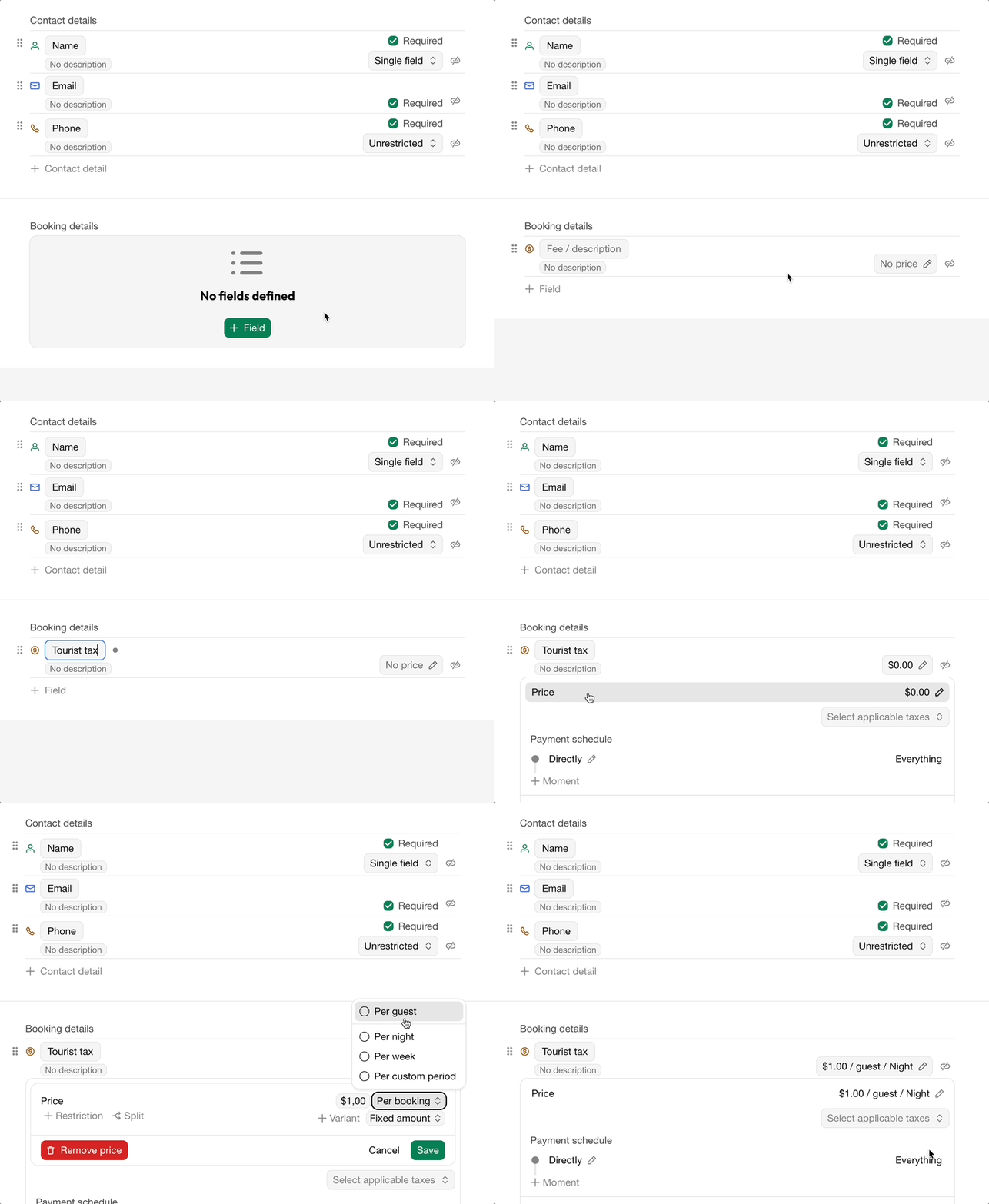
Tourist tax per guest per night
A tourist tax needs no input from the guest and always applies, so use a Fee / description field with a price per night per guest.
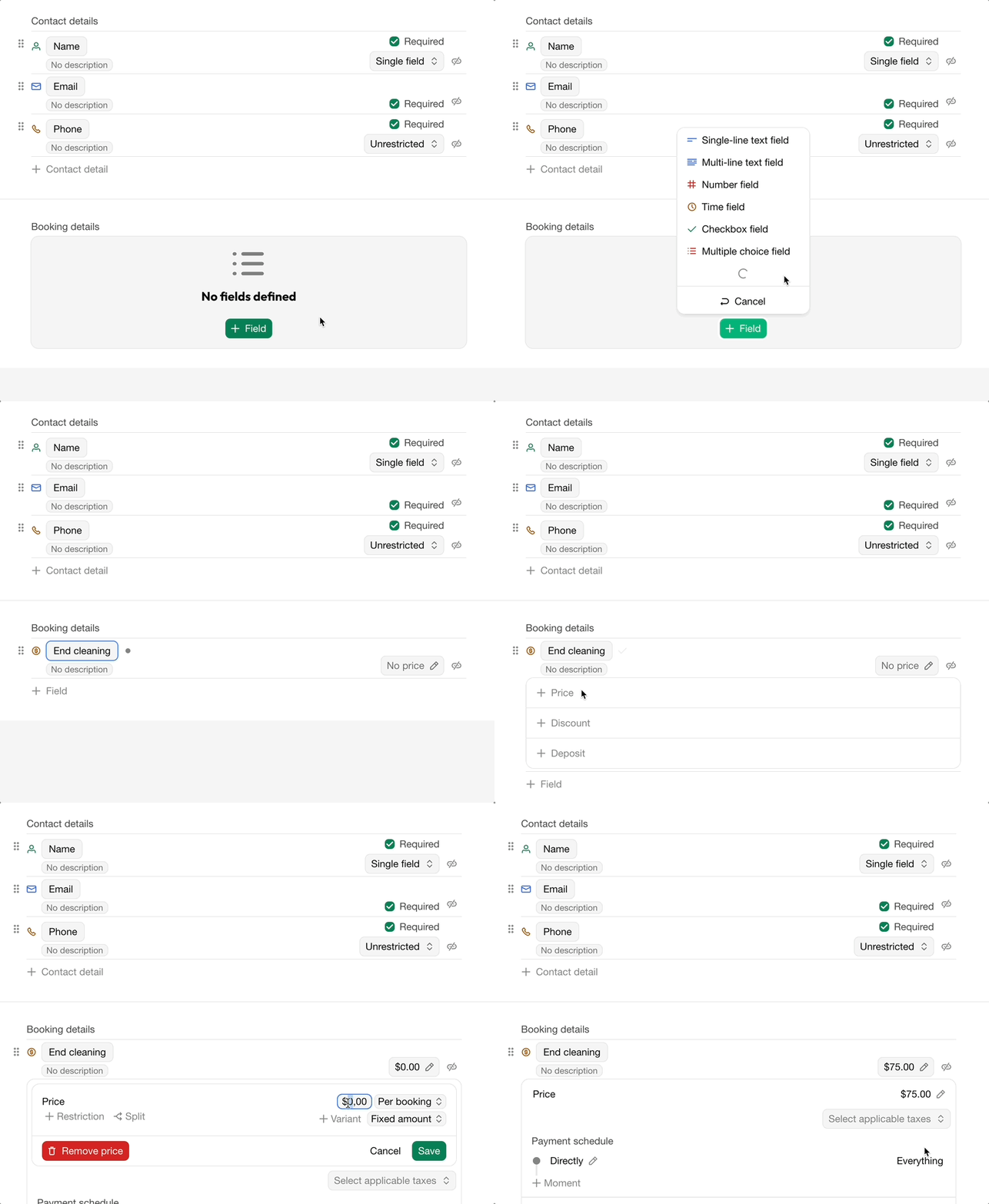
Cleaning fee
Use a Fee / description field with a price per booking: don't select anything after the amount.
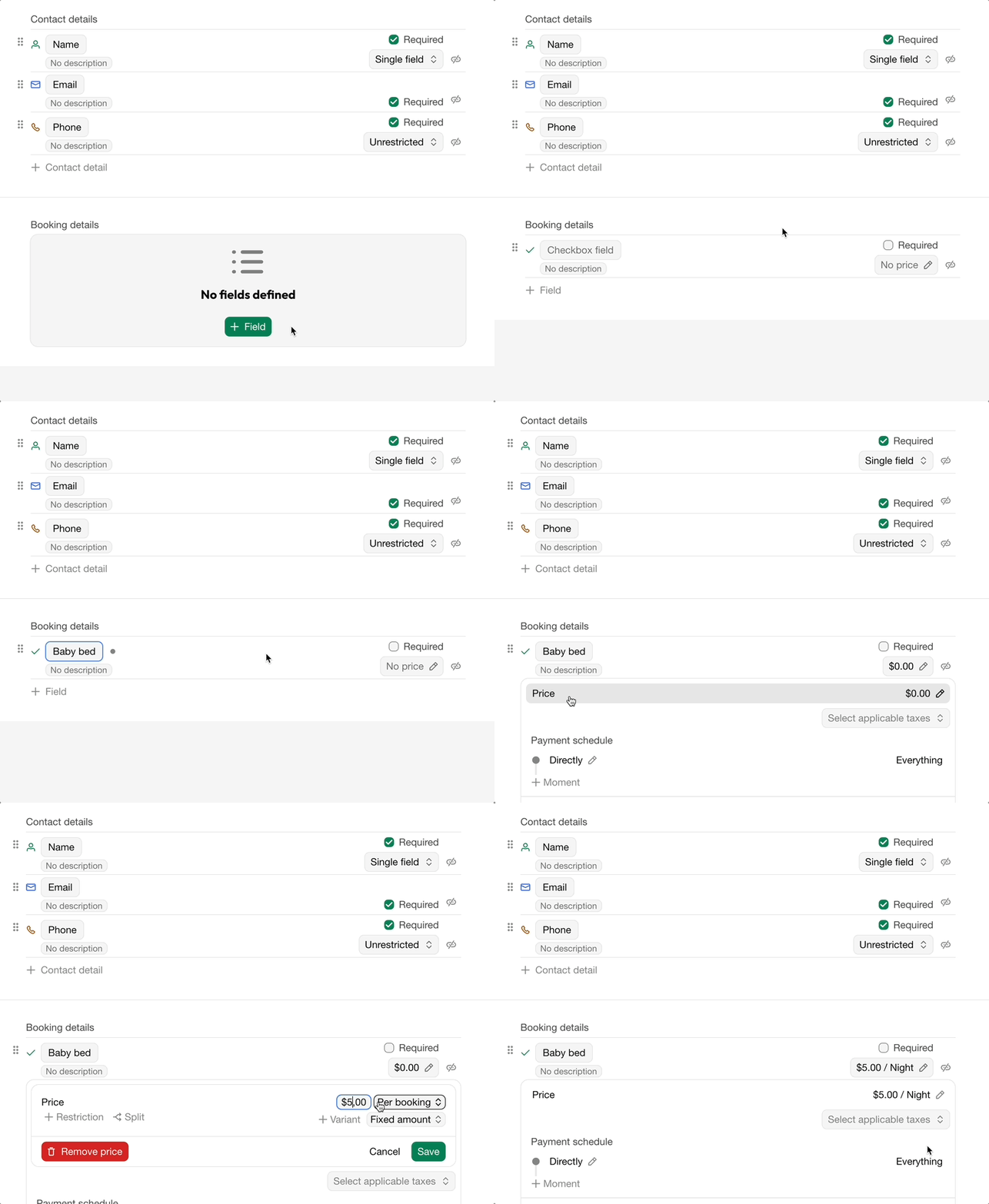
Optional baby bed
Use a Checkbox field. The price is only added when the guest checks it.
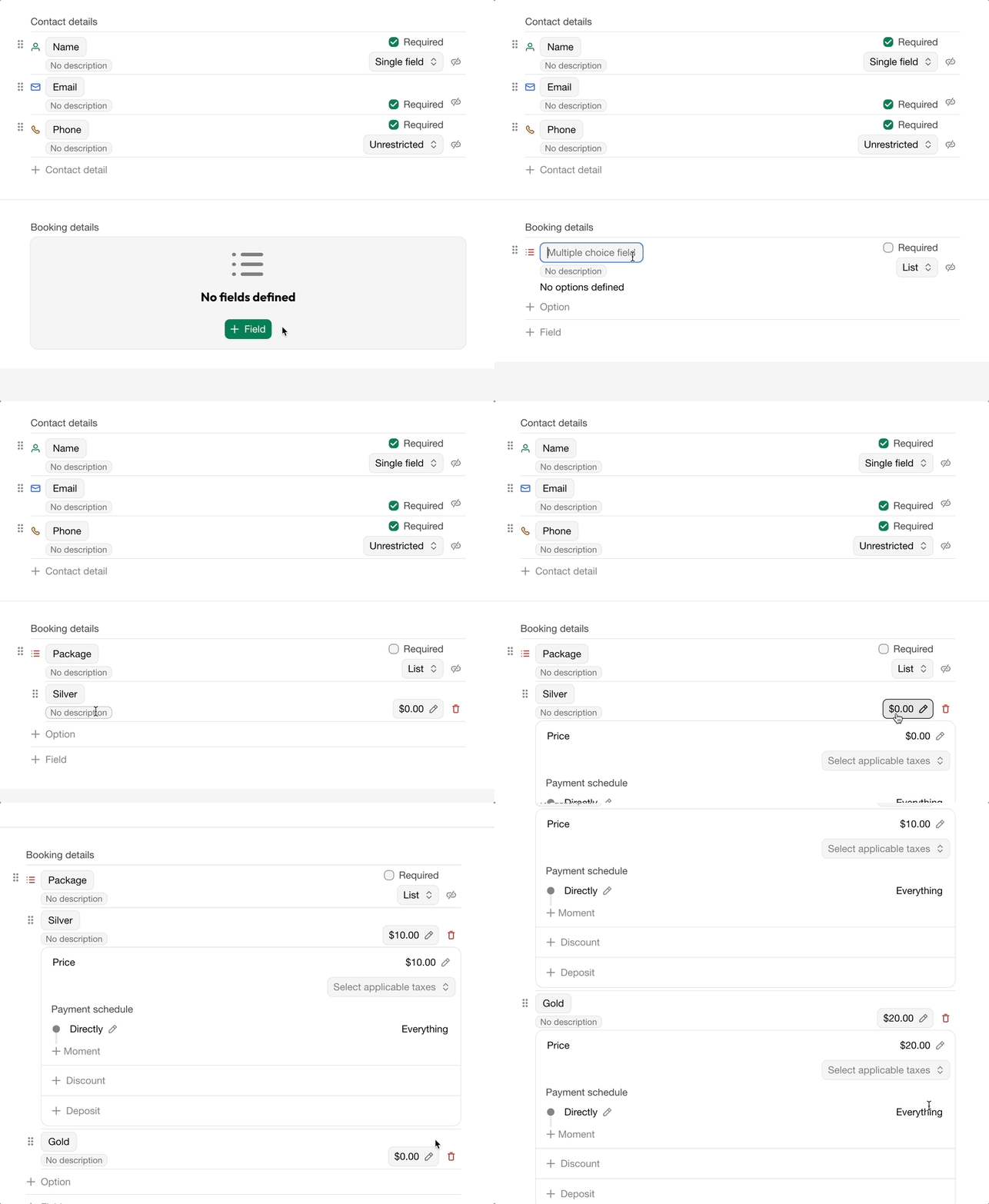
Packages
Use a Multiple choice field with an option and price per package.
FAQ
Guests see an empty booking form
The form only shows the fields you added. Open the unit's Booking form and add fields to Contact details and Booking details.
Zuletzt geändert 3. November 2026