
Bolt
Add Bookingmood booking calendars to your Bolt website
Bolt.new builds websites from a prompt. Ask it to embed your Bookingmood widget, and guests can check availability and book your rental directly on your site. Every change you make in Bookingmood shows on your website automatically.
Create a widget
Create a widget in Bookingmood. Widgets explains how.
Click Embed and copy the Inline embed code. You need it in the next step.
Add the widget to Bolt.new
Ask Bolt.new to embed your widget. You can use a prompt like this:
Embed my Bookingmood widget on this page.

Create a section 'Booking calendar' and use this embed code:

[PASTE YOUR EMBED CODE HERE]
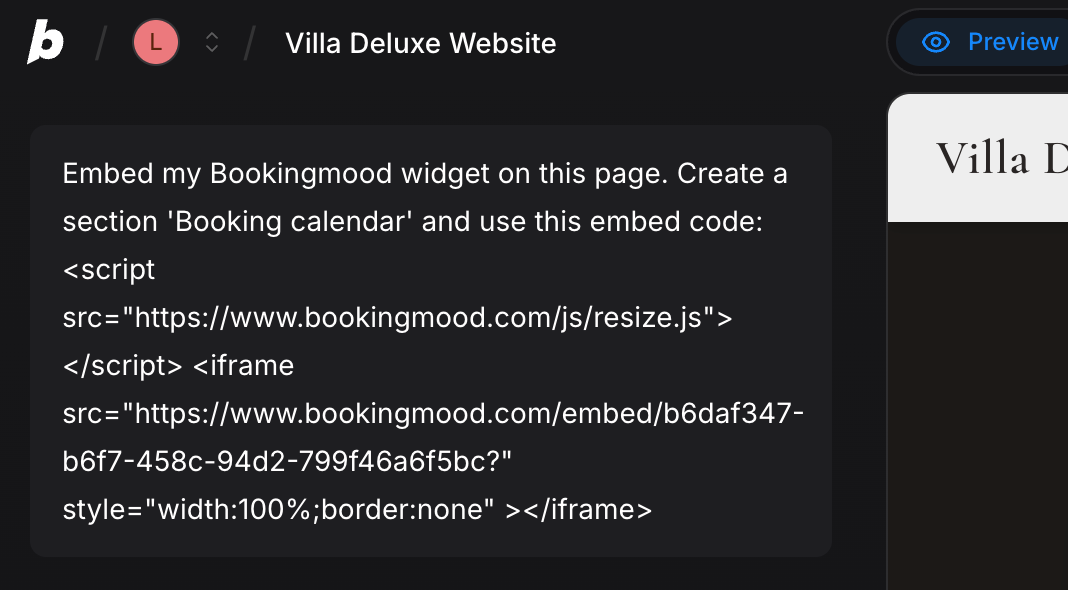
Bolt.new adds the widget to your page.
That's it. Changes you make in Bookingmood now show on your website automatically.
FAQ
Why does the calendar look broken in the preview?
The Bolt.new preview doesn't always render embedded widgets correctly. Publish your site and check the calendar there; it should display normally.