
Calendario delle prenotazioni per SiteW
Add Bookingmood booking calendars to your SiteW website
Add Bookingmood to your SiteW website so guests can check availability and book your rental without leaving your site. You set it up once, and every change you make in Bookingmood shows on your website automatically.
Create a widget
Create a widget in Bookingmood. Widgets explains how.
Click Embed and copy the Inline embed code. You need it in the next step.
Add the widget to SiteW
Open the page where you want to show the widget.
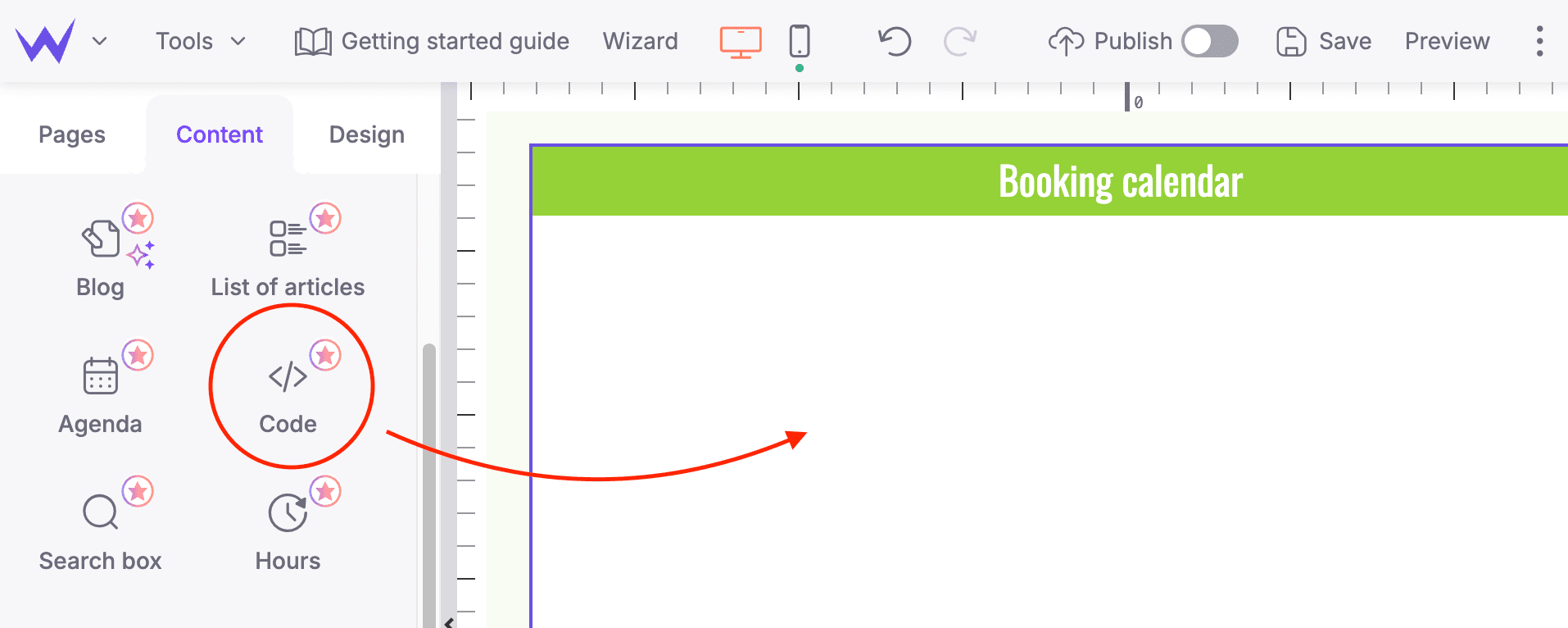
Open the Content tab and drag the Code block onto the page.
Paste the embed code you copied.
That's it. Changes you make in Bookingmood now show on your website automatically.