Widgets
A widget shows the availability of your units on your own website, and lets guests book. Create one in Bookingmood, then paste its embed code into your website.
Create a channel
Go to Channels.
Click New channel and choose a type:
| Type | What it does |
|---|---|
| Calendar widget | Availability or booking calendar of one unit. |
| Timeline widget | The availability of several units side by side. |
| Inventory widget | The number of units available per day, for units that are alike, such as camping pitches. |
| Search widget | Lets guests search for available units. |
| Pricing widget | The prices of one unit, see Pricing widget. |
| Reviews widget | Reviews from guests, see Reviews. |
| Single-unit website | A website for one unit, see Websites. |
| Multi-unit website | A website with search and filters for several units. |
| Google Vacation Rentals | Lists your units on Google, see the integration. |
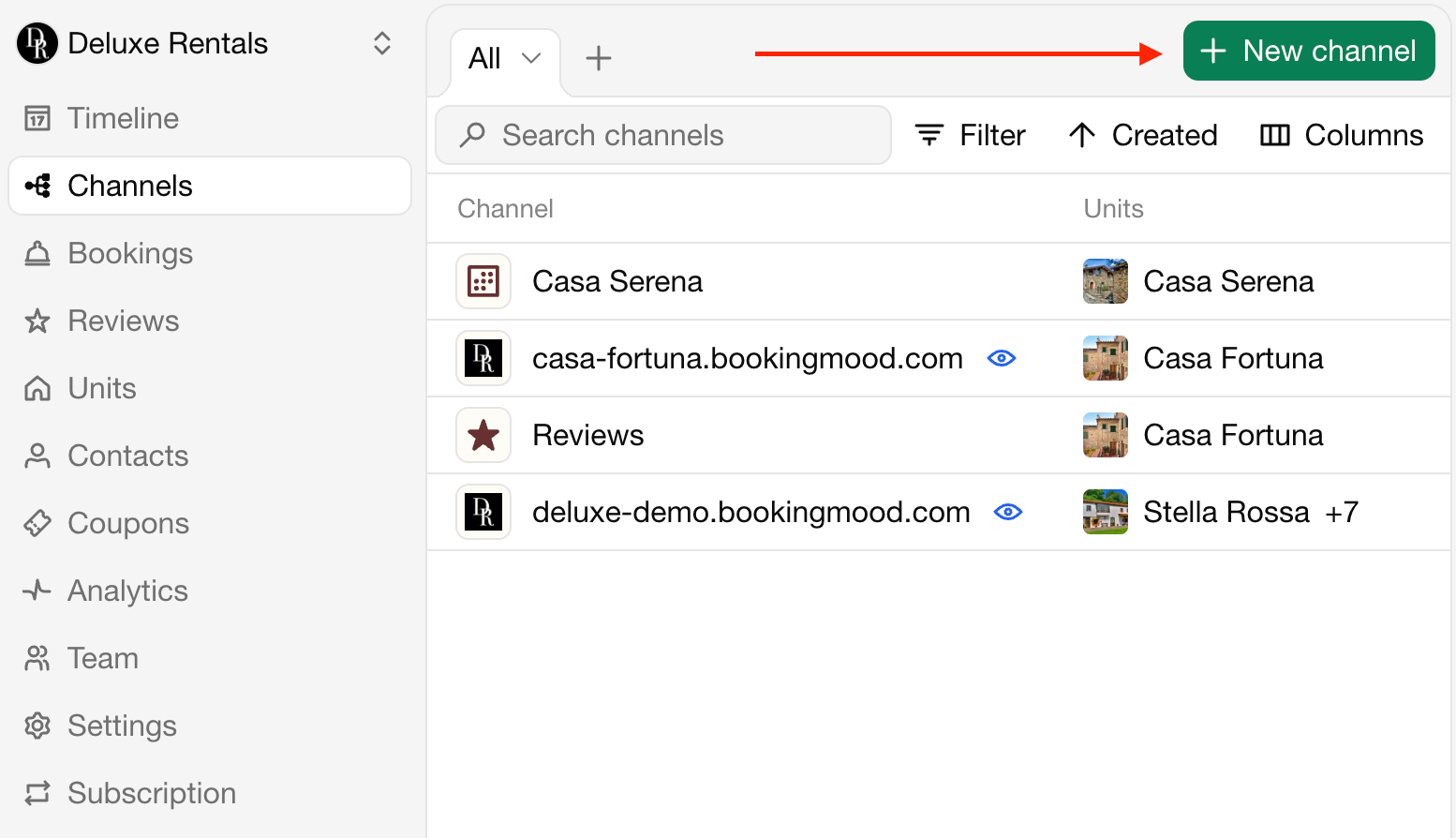
Then set up the widget, for example which units it shows and what happens when guests click a date. See Widget settings.
Embed the widget
Open the widget.
Click Embed.
Choose how the widget appears:
| Method | Description |
|---|---|
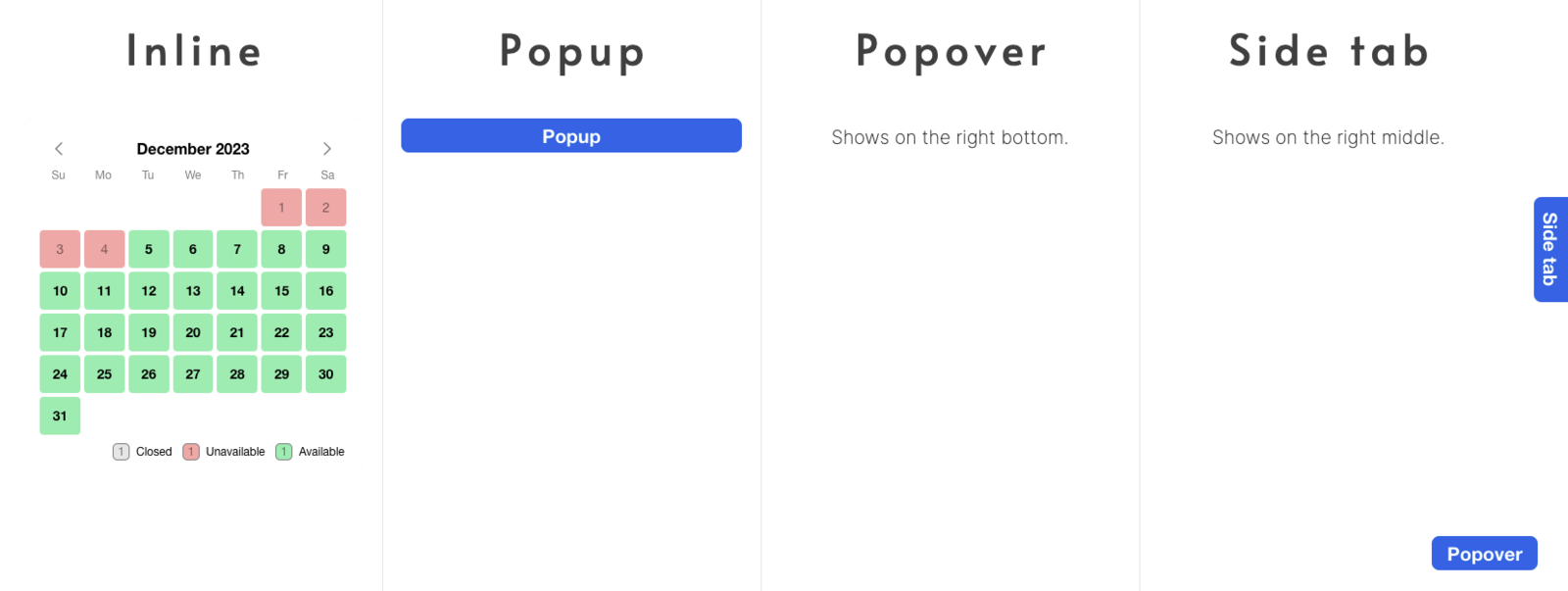
| Inline | Part of your page, where you place the code. |
| Popup | A button that opens the widget in the center of the screen. |
| Popover | A floating button that opens the widget in a popover. See a demo. |
| Side tab | A floating button that opens the widget in a side panel. |
| oEmbed | A link that website builders supporting oEmbed turn into the widget. Also usable as a shareable link. |
| Website builder | Step-by-step guides for website builders. |
| Colleague | Email the instructions to a colleague, for example your web designer. |
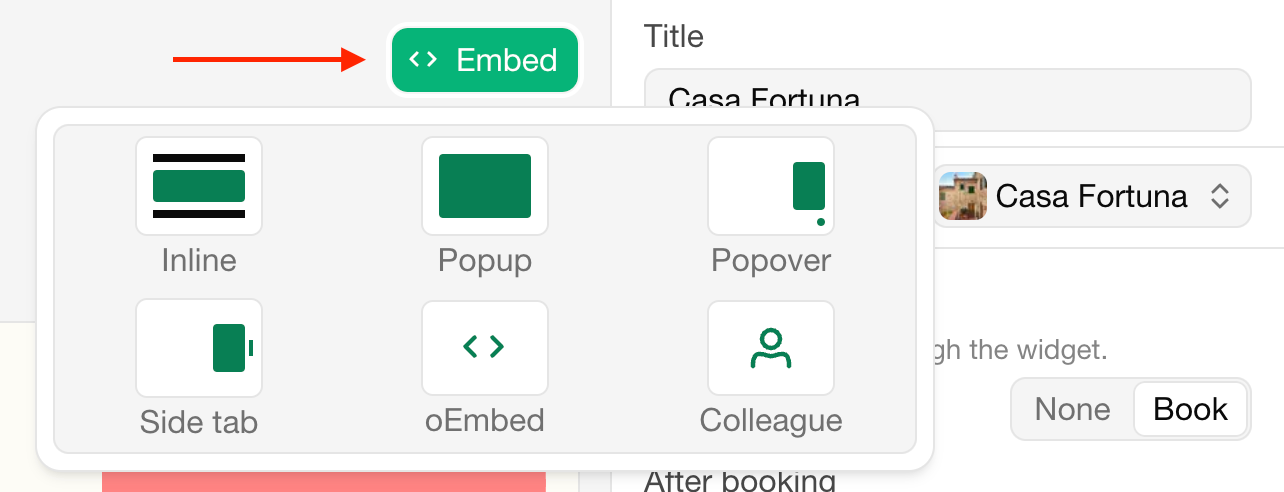
Copy the code and place it in the HTML of your page where the widget should appear.
Changes you make to the widget later appear on your website automatically; you don't need to copy the code again.
Website builders
Bookingmood works with every website builder that lets you add HTML or embed code. The integrations have step-by-step instructions for WordPress, Wix, Squarespace and many more.
To show one widget in several languages or currencies, see Embed customization.
Sidst ændret 3. november 2026