Organizations
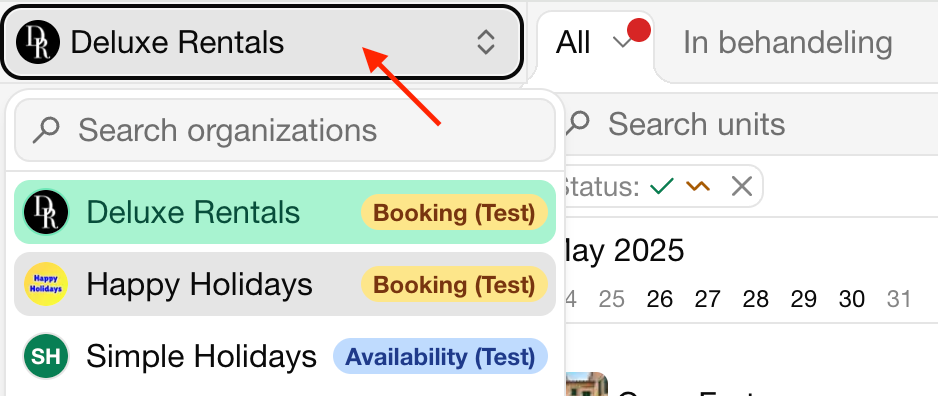
An organization is the workspace where you manage your units, bookings, channels and settings. Each organization has its own subscription. You can be a member of several organizations and switch between them with the same account.
Create an organization
When you sign up, Bookingmood creates an organization with a free 14-day trial. To create another one:
Click the name of the current organization at the top of the side navigation.
Click New organization.
Enter the Organization name and choose a Plan.
Click Start free 14-day trial.
Switch between organizations
Click the name of the current organization at the top of the side navigation.
Click the organization you want to open.
Organization settings
Go to Settings › General to change the Organization name, the Avatar and the Logo. The same screen holds the Payment method, see Payments.
To invite colleagues, see Team.
Delete an organization
Deleting an organization is irreversible: all its units, bookings, contacts and other data are deleted.
Cancel the subscription first. An organization with an active subscription can't be deleted.
Open the organization.
Go to Settings › General.
Click Delete organization and confirm.
To delete your user account as well, see Your account.
Last modified 3 November 2026