Organizations
An Organization in Bookingmood is a workspace where you manage your units, bookings, settings, and so on. You can create multiple organizations and switch between them with the same user account.
Create an organization
When you sign up for Bookingmood an organization with a 14-day free trial will be created automatically. Follow the steps below to create an extra organization.
Click on the name of your current organization on the left top.
Click on + Organization.
Enter the name and choose a plan.
Click on Start free 14-day trial.
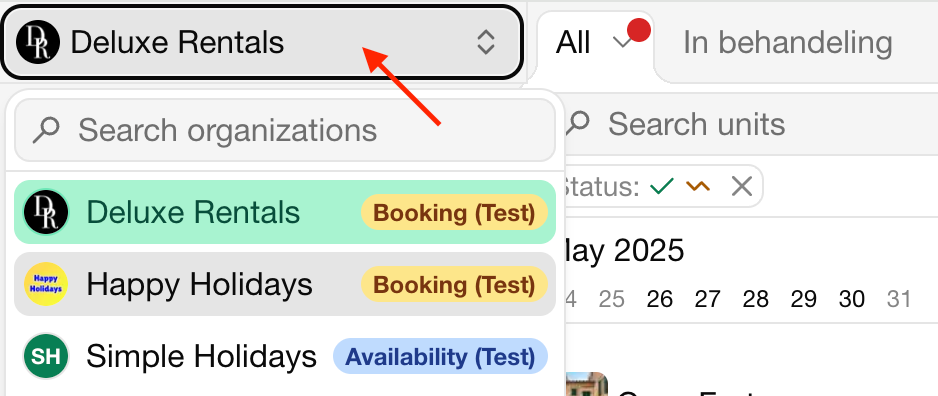
Switch between organizations
When you are part of multiple organizations, you can switch between them with just a mouse click.
Click on the organization name on the right top.
Click on the organization that you want to manage.
Delete an organization
Click on Settings.
Click on Delete organization.
FAQ
How many Stripe accounts can I connect to an organization?
You can connect one Stripe account to an organization.