Tartsa szemmel a foglalásait
Egyetlen műszerfalról keresheti meg a szabad helyeket, követheti nyomon a fizetéseket, és ütemezheti át a foglalásokat.
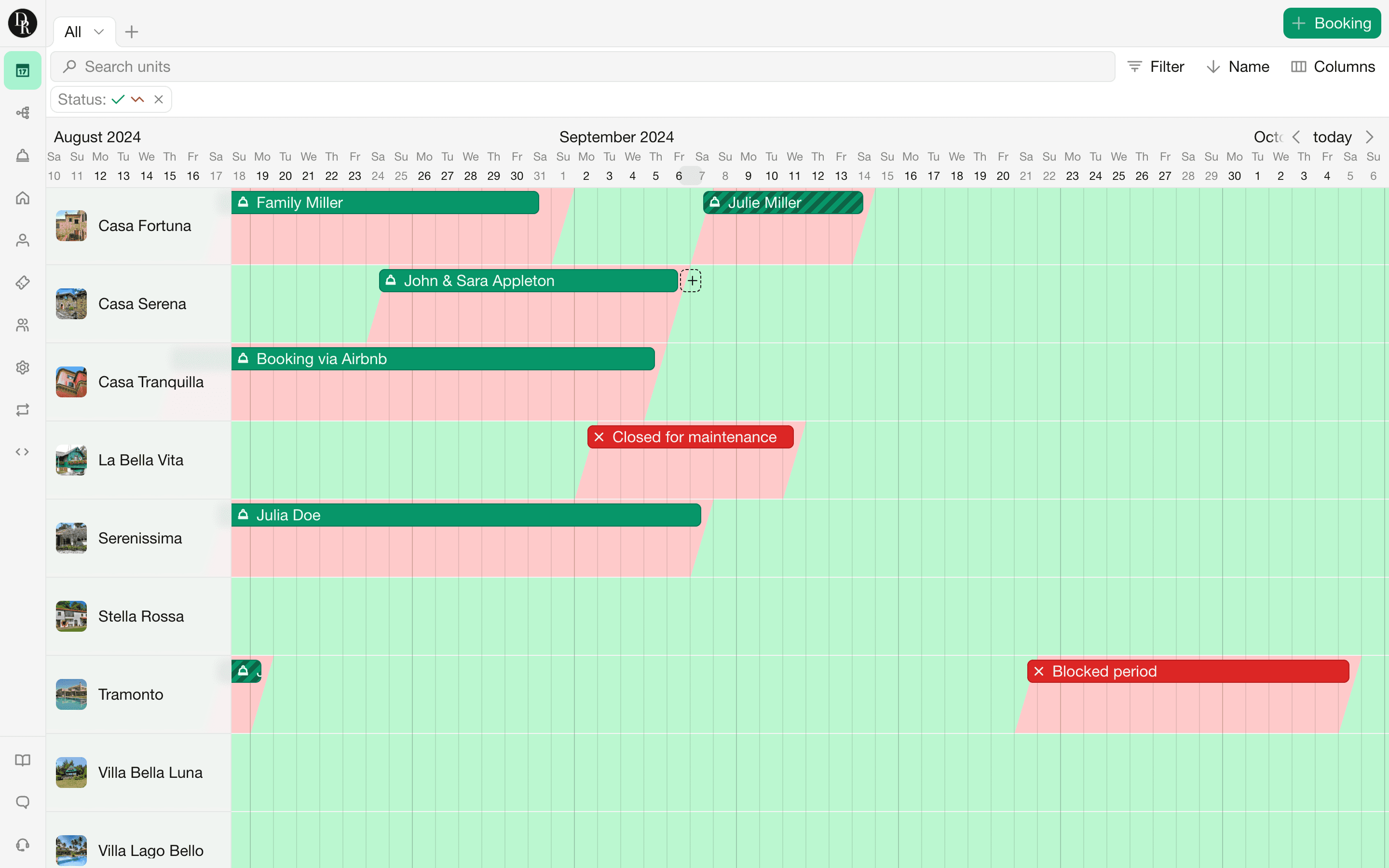
Egyetlen műszerfalról keresheti meg a szabad helyeket, követheti nyomon a fizetéseket, és ütemezheti át a foglalásokat.
Manage all your bookings from a single, comprehensive view. Quickly find available periods, track payments, write notes and reschedule bookings.

Save time and avoid double bookings with our two-way availability synchronization. Using the iCal protocol, you can sync your availability with platforms like Airbnb, Booking.com, and personal calendar apps.

Whether for maintenance or an extended closure, easily block your units for any duration. Changes are instantly reflected on your widgets and websites.

Guests can book your units directly via your widgets or websites. We support both booking requests and instant bookings. With booking requests, you can review bookings manually before confirming or declining. Opt for instant bookings to automate the entire process—guests make the initial payment, and the booking is instantly recorded in your dashboard.

Get notified of important events like new booking requests or completed payments. Besides email notifications, we also support SMS notifications, ensuring you stay informed, even when offline.

You can add a title, booking status, check-in and check-out dates, the number of guests and contact details. You can also add custom fields and attach files.
Yes. You can add a booking by clicking and dragging across the desired dates in the Timeline. You can also open a rental unit first and add the booking from there.
Yes. Guests can book through Bookingmood widgets or a Bookingmood website. You can choose whether they submit a booking request or make an instant booking.
A booking request is initially marked as Pending, allowing you to review it before confirming or cancelling it. With an instant booking, an invoice is generated immediately and the booking is automatically confirmed after the initial payment has been received. Learn more.
Yes. You can add a blocked period for maintenance, repairs, seasonal closures or any other reason. The blocked dates are immediately reflected in your widgets and Bookingmood websites.
No. Bookingmood currently supports bookings per night or per day. Hourly bookings are not supported.
Yes. You can define which days of the week guests are allowed to check in and check out. You can also set different check-in and check-out days for specific seasons, giving you more control over arrival and departure rules throughout the year.
Yes. You can set both a minimum stay and a maximum stay for your units in Bookingmood.
Yes. Bookingmood supports two-way availability synchronisation through iCal, allowing you to synchronise with platforms such as Airbnb and Booking.com, as well as compatible calendar applications. Learn more.
Yes. By enabling the shopping cart, guests can add several rental units to one cart and complete them in a single booking process.
Yes. Bookingmood can send notifications for important events such as new booking requests and completed payments. Notifications can be sent by email and, where configured, by SMS. Learn more.
Yes. The Bookingmood dashboard is available in multiple languages, so you can manage your rental units, bookings and settings in the language you prefer.
Együttműködés
Alkalmazáson belüli kommunikáció, engedélyek
Foglalási folyamatok
Konfigurálható árak és korlátozások
Vendégkommunikáció
Személyes kapcsolat és automatizálás
Beágyazható widgetek
Bookingmood az Ön meglévő weboldalán
Weboldal készítő
Testreszabható, kód nélküli weboldalak
Csatlakozzon a 1200+ független nyaraló-bérbeadó vállalkozáshoz, amelyek a Bookingmood segítségével növelik a közvetlen foglalások számát és szorosabb kapcsolatot építenek ki a vendégekkel.