Stripe
Accept secure online payments with Stripe
Connect Bookingmood with Stripe to collect online payments quickly, securely, and automatically. Accept major credit and debit cards, digital wallets, and a wide range of local payment methods while giving guests a seamless checkout experience.
With the Bookingmood and Stripe integration, payments are processed securely, booking confirmations can be triggered automatically after successful payment, and transaction management becomes much simpler. Stripe handles payment processing and security, while Bookingmood keeps your reservations synchronized, helping you reduce manual work and deliver a smooth booking journey from reservation to payment.
Whether you manage a single property or a portfolio of accommodations, the Bookingmood–Stripe integration makes it easy to get paid faster with a trusted global payment platform.
Set up
You need the Availability plan or higher, and a Stripe account. You can create one while connecting.
In Bookingmood, go to Settings › General.
Under Payment method, choose Stripe.
Click Connect with Stripe and follow the steps in Stripe.
Back in Bookingmood, check the status: Details submitted, Charges enabled and Payouts enabled. If a step is missing, click Finish Stripe setup.
You can connect one Stripe account per organization. Use View Stripe dashboard to open it, or Disconnect Stripe to remove the connection.
What happens next
Guests can now pay online on their guest page. Bookingmood marks payments as paid automatically, and can confirm instant bookings after the first payment. See Payments for how payments, installments and invoices work.
Payments go straight to your Stripe account. Bookingmood charges no commission; Stripe's own fees apply.
Store payment details
Turn on Store guest payment details for future charges in Settings › General so guests pay later installments without entering their card again. This doesn't work with payment methods that can't be reused, such as Klarna and iDEAL.
Choose payment methods
Before changing settings in Stripe, select the account that's connected to Bookingmood in the account menu at the top left of the Stripe dashboard.
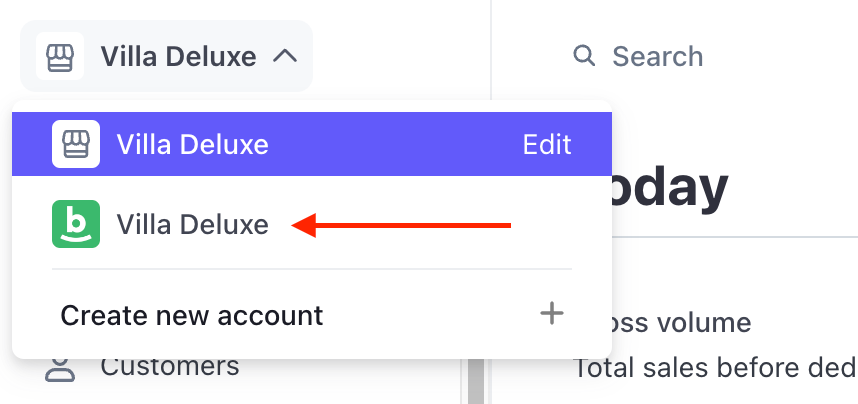
In the Stripe dashboard, open Settings › Payments.
Open the Payment methods tab and select the Bookingmood configuration.
Turn on the payment methods you want to offer, such as cards, iDEAL or Bancontact.
PayPal isn't available through Stripe Connect. Read more.
Match the checkout to your brand
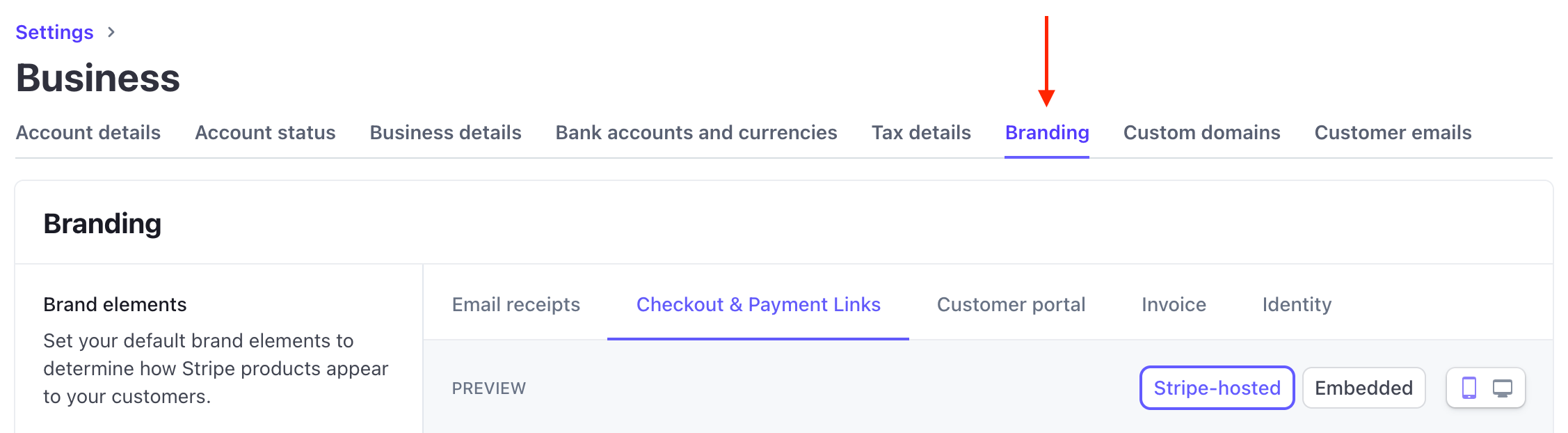
In the Stripe dashboard, open Settings › Business › Branding.
Upload your icon and logo and set your colors.
Under Checkout & Payment links, click Customize and check Use brand colors.
Click Save changes.