Languages
Widgets are shown in the language you set under Language in the widget's settings. To show one widget in several languages, for example on each language version of your website, set the language in the embed code instead of creating a widget per language.
Open the widget under Channels.
Click Embed.
Turn on Include editable parameters in embed code.
Copy the code and change
locale=en-USto the language of the page.
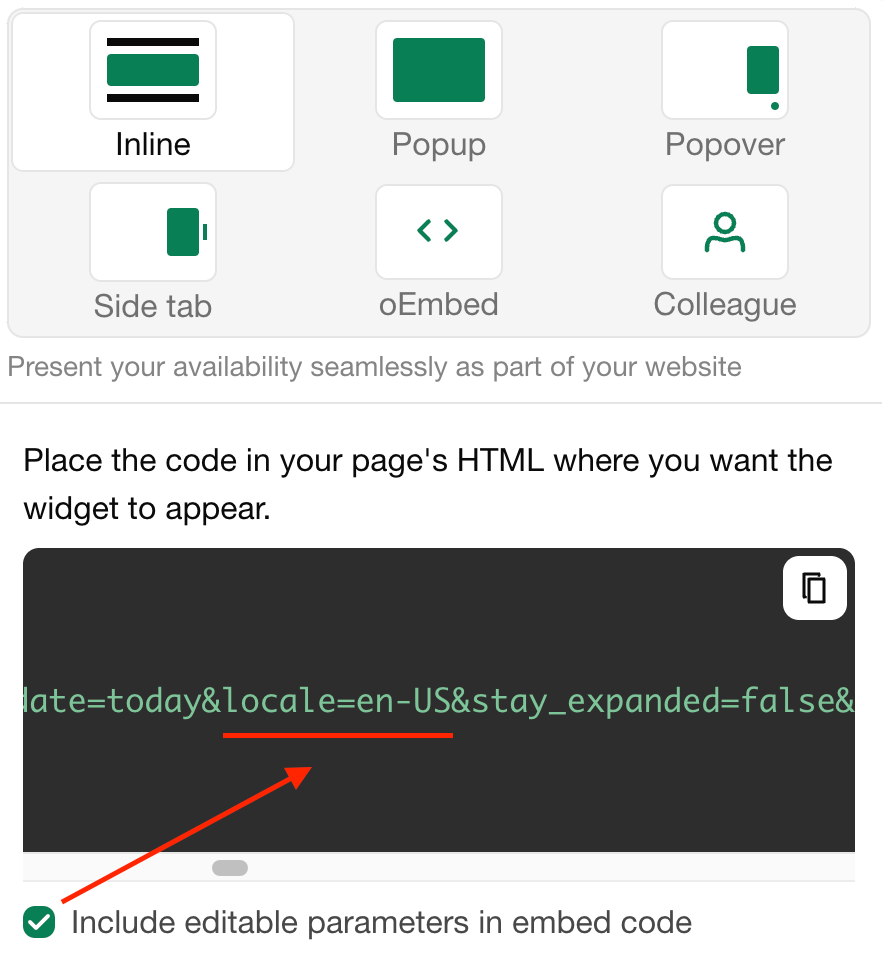
These languages are available:
be-BYběloruštinabg-BGbulharštinacs-CZčeštinada-DKdánštinade-DEněmčinaen-GBangličtina (Velká Británie)en-NZangličtina (Nový Zéland)en-USangličtina (USA)es-ESšpanělštinaeu-ESbaskičtinafr-FRfrancouzštinagr-ELΕλληνικάhe-ILhebrejštinahr-HRchorvatštinahu-HUmaďarštinait-ITitalštinaja-JPjaponštinalt-LTlitevštinalv-LVlotyštinanl-NLnizozemštinann-NOnorština (nynorsk)pl-PLpolštinapt-BRportugalštinaro-ROrumunštinaru-RUruštinask-SKslovenštinasl-SIslovinštinasr-Cyrlsrbština (cyrilice)sr-Latnsrbština (latinka)sv-SEšvédštinatr-TRturečtinauk-UAukrajinština
The names and descriptions of your units, booking form fields and other texts you wrote yourself are translated under Translations.
Poslední změna 3. listopadu 2026