
PriceLabs
Connect Bookingmood with PriceLabs for smarter, automated pricing.
Optimize your rental pricing strategy by connecting Bookingmood with PriceLabs. This integration helps you leverage dynamic pricing insights from PriceLabs and apply data-driven rates to your Bookingmood calendars, helping you maximize revenue while reducing manual pricing updates.
With the Bookingmood–PriceLabs integration, you can streamline your pricing workflow, respond faster to market changes, and keep your availability and rates aligned with your business goals. Whether you manage vacation rentals, short-term stays, or multiple properties, this connection gives you the flexibility to combine powerful booking management with intelligent revenue optimization.
Set up
PriceLabs is a revenue management and dynamic pricing software mainly used in the short-term rental and hospitality industry. It helps property managers and vacation rental companies set optimized nightly rates for their listings.
PriceLabs can send daily rates, minimum stay requirements, check-in and check-out restrictions and length of stay pricing to Bookingmood as far as 730 days ahead.
Getting Started with PriceLabs
Sign up for a free PriceLabs trial.
Connecting Bookingmood to PriceLabs
Log in to PriceLabs.
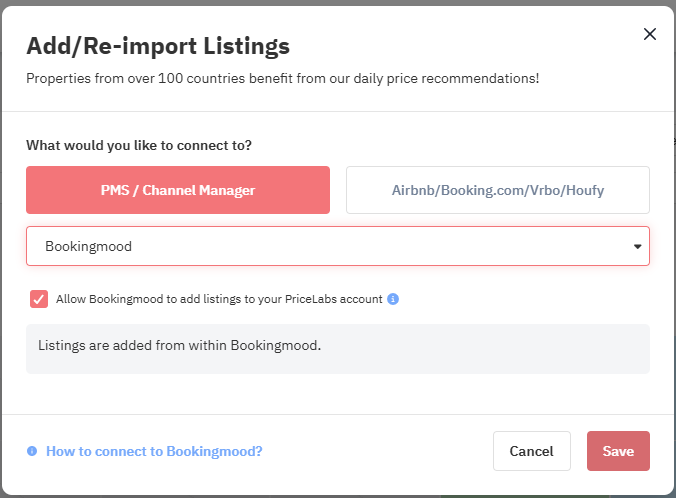
Click Add your listings if you don’t have any listings yet, or Add/Reconnect Listings if you already do.
Next, select PMS / Channel Manager and choose Bookingmood from the dropdown menu.
Check the box that says Allow Bookingmood to add listings to your PriceLabs account. Finally, click Save.
Step 2: Connect & setup in Bookingmood
Log in to Bookingmood
Go to Units and click on the unit you’d like to connect with PriceLabs.
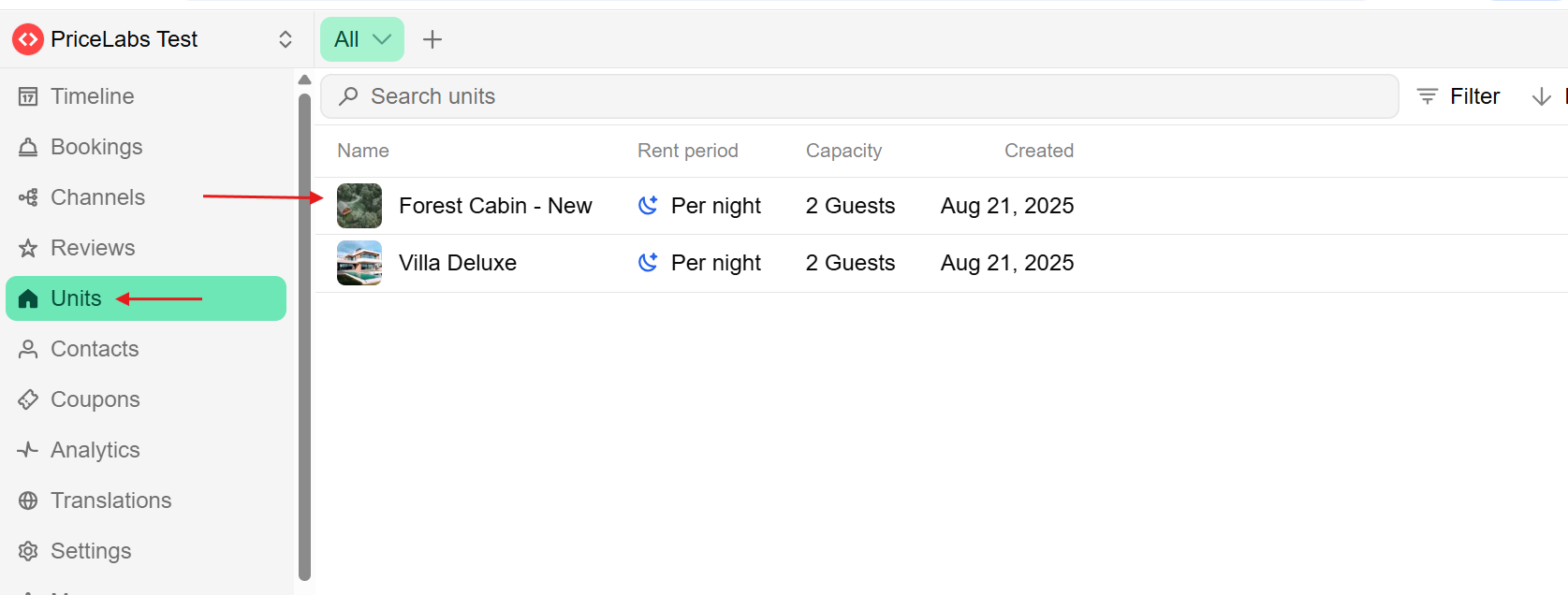
Click on Rent.
Select PriceLabs as the Price definition.
Enter the correct bedroom count for the unit you’re connecting.
Enter your email address.
Save it.
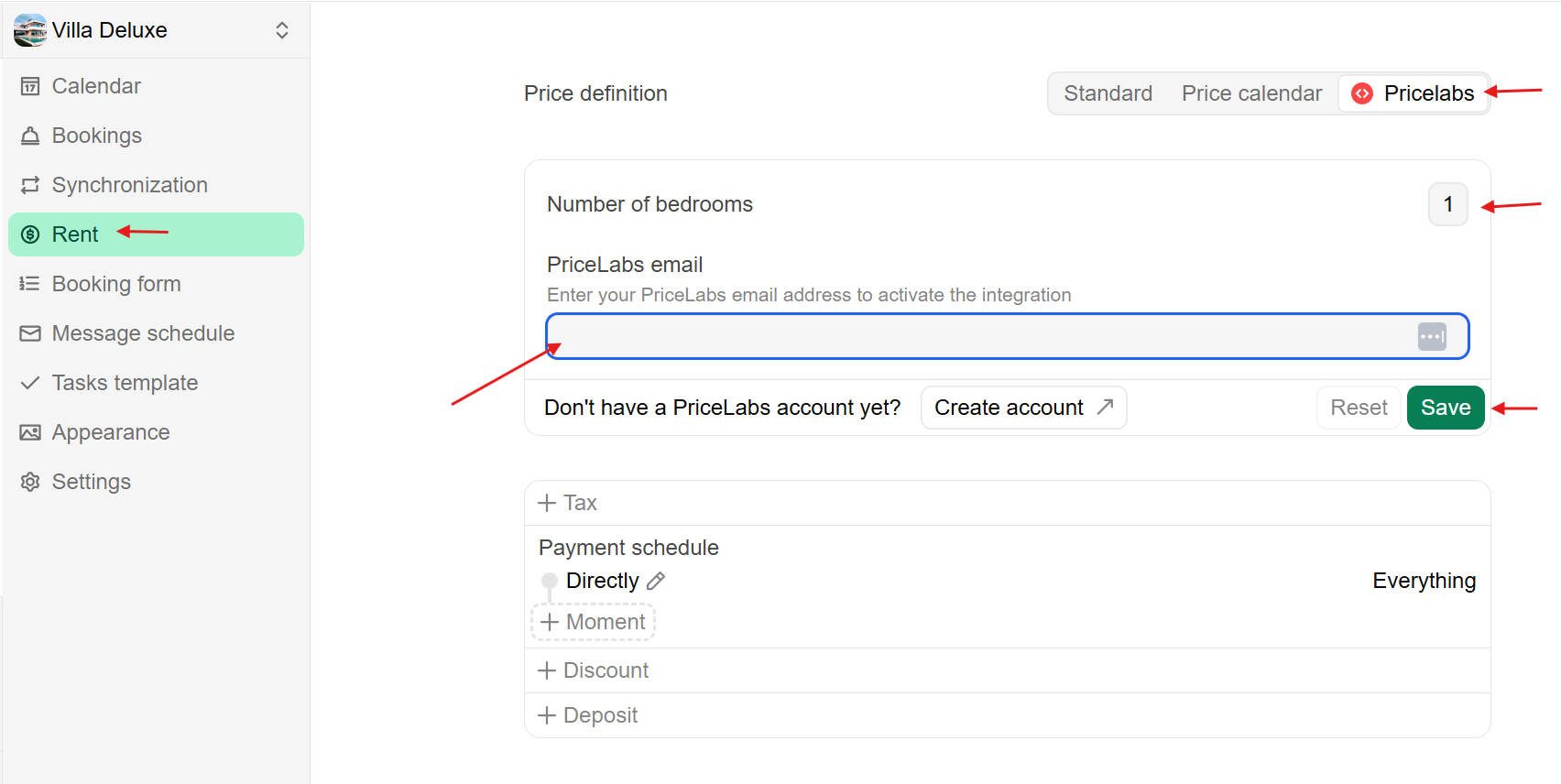
Once finished, your Bookingmood units are now linked to PriceLabs.
Optionally, click on Export now to immediately push any updates you’ve made in Bookingmood.
Step 3: Reviewing & syncing prices
Follow the Getting Started guide to set up your listings.
Review your pricing and configuration in PriceLabs.
Enable Sync Prices for automatic updates, or click Sync Now to push updates instantly.
Finally, check your Bookingmood account to confirm the updates.
Next steps
Regularly review your pricing and rules.
Attend the Intro to PriceLabs Live Training for deeper insights.
After these steps, your PriceLabs–Bookingmood integration will run smoothly.