Views
Custom views let you see the booking information that matters most to you. You can choose what details to show, organize them the way you want, and save different views for easy access later. Whether you need to focus on upcoming bookings, customer details, or payments, custom views help you manage everything quickly and clearly.
Create a custom view
Go to Bookings, Units or Contacts.
Apply some filters, like selecting Pending under Status at the Bookings page. The page now shows all bookings with a Pending status.
Note the red dot on the right top at the Save filters button, which indicates that changes are made.
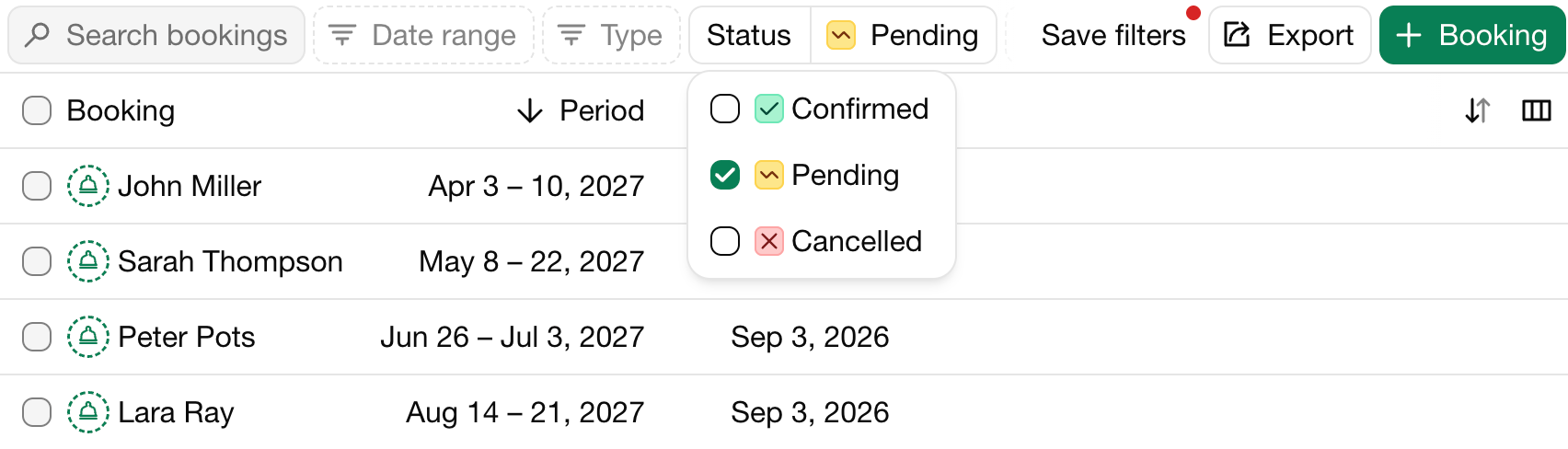
Click on the Save filters.
Enter the name of the view and click on the green button to save it.
The new view is now added as tab!
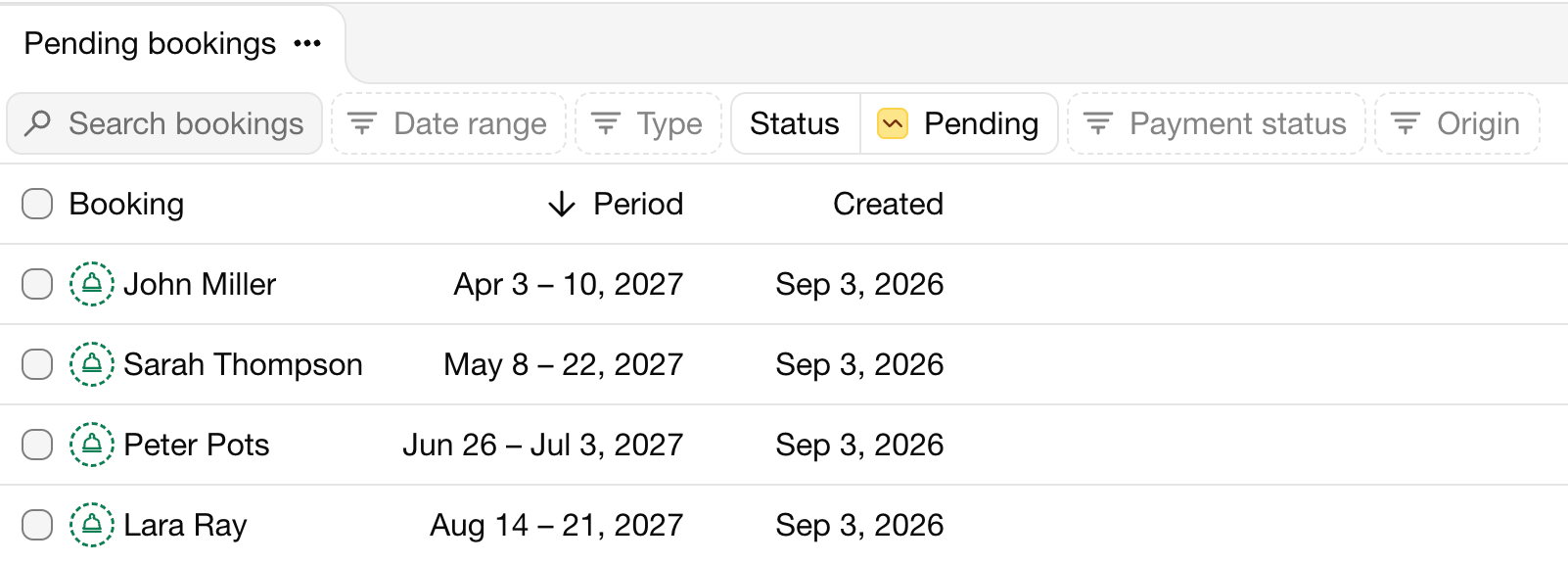
Add other views
Apply some other filters.
Note the red dot in the current tab that indicates that changes are made.
Click on the three dots on the current tab.
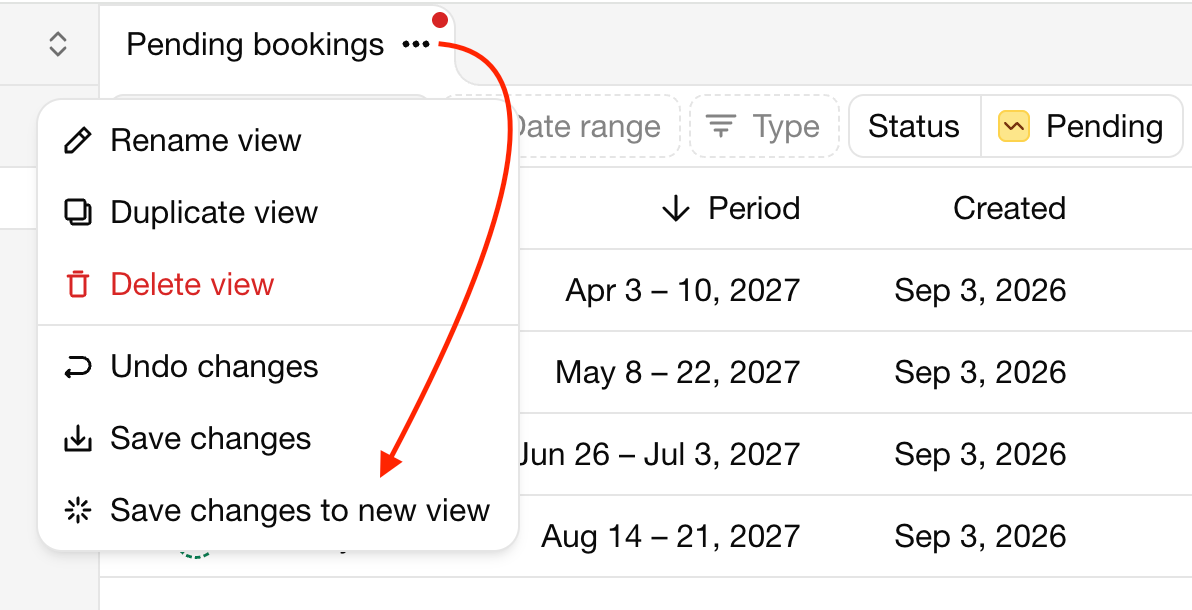
Click on Save changes to new view.
The new view is now created in a new tab.