Tasks
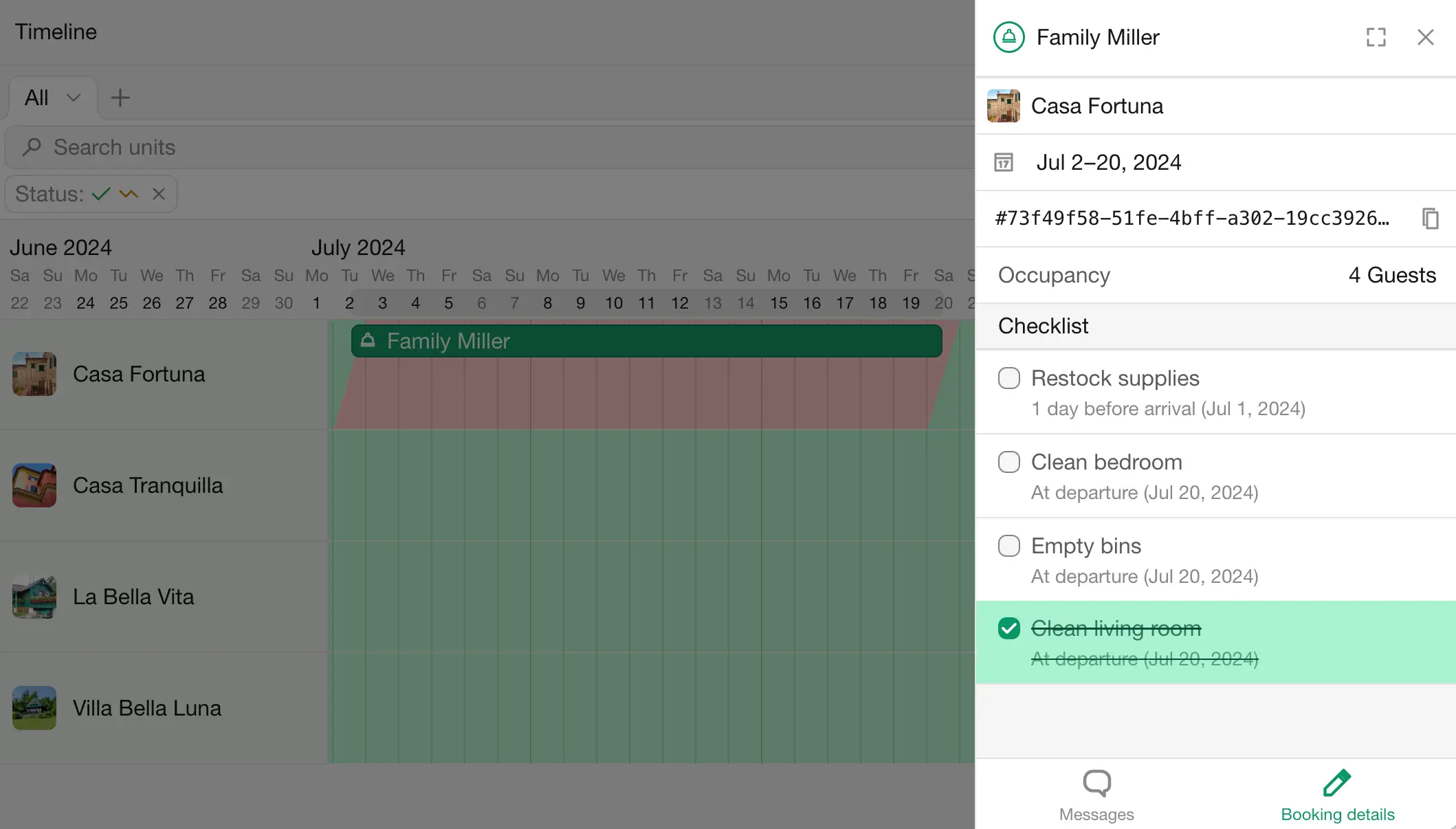
Tasks are the things that need to be done for a booking, such as cleaning the unit, emptying the bins or restocking supplies. Assign them to team members, for example your cleaners, who mark them as done.
Tasks for every booking
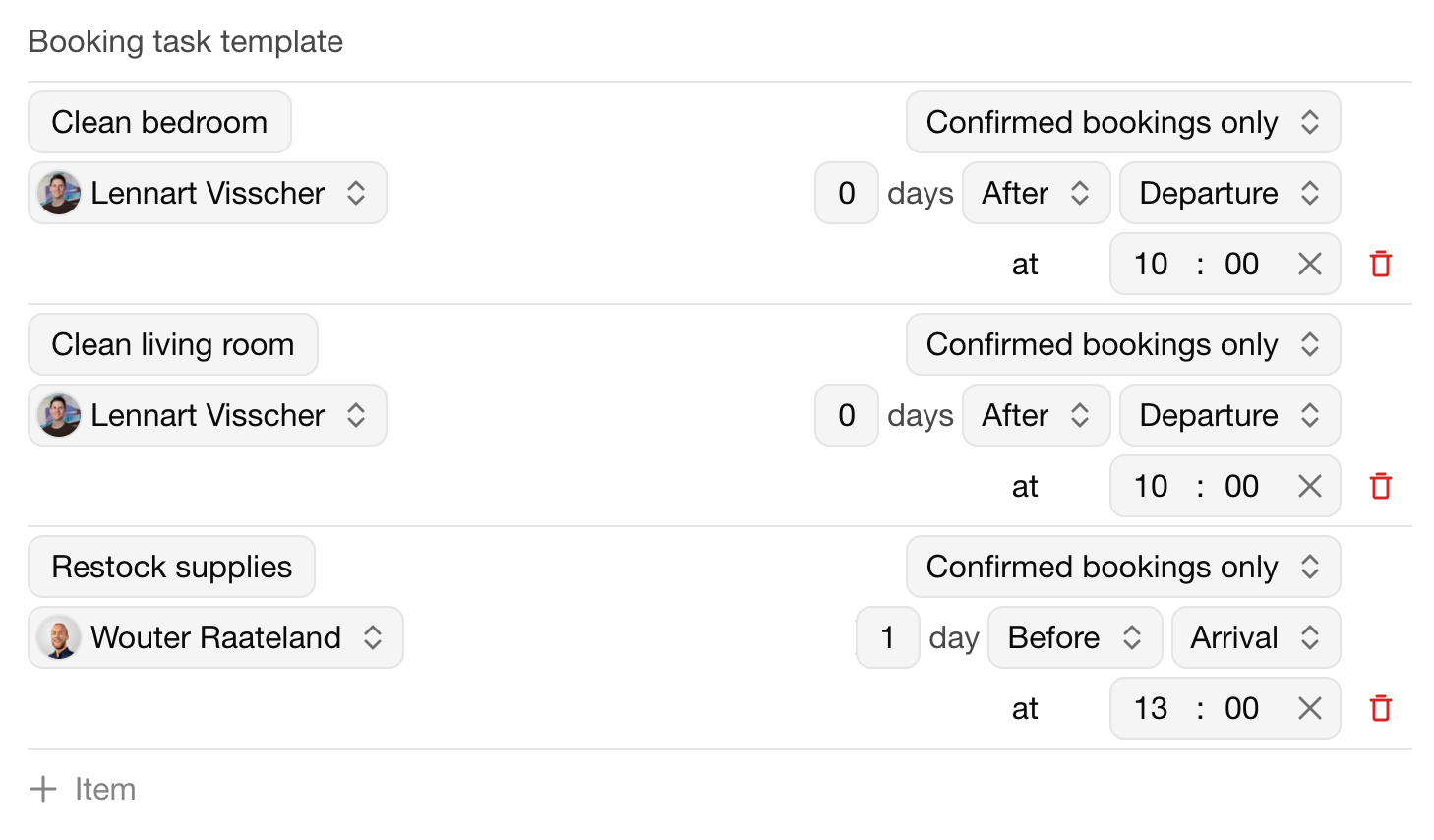
A unit's tasks template adds tasks to every booking of that unit.
Open a unit and go to Tasks template.
Add an Item for each task, with:
When it's due, for example on the day of departure at 11:00.
Its assignees.
For which bookings: Tentative and confirmed bookings or Confirmed bookings only.
Optionally, only for bookings of a minimum length: Only applies to bookings of … or more nights.
Changes to the template apply to new bookings.
One-time tasks
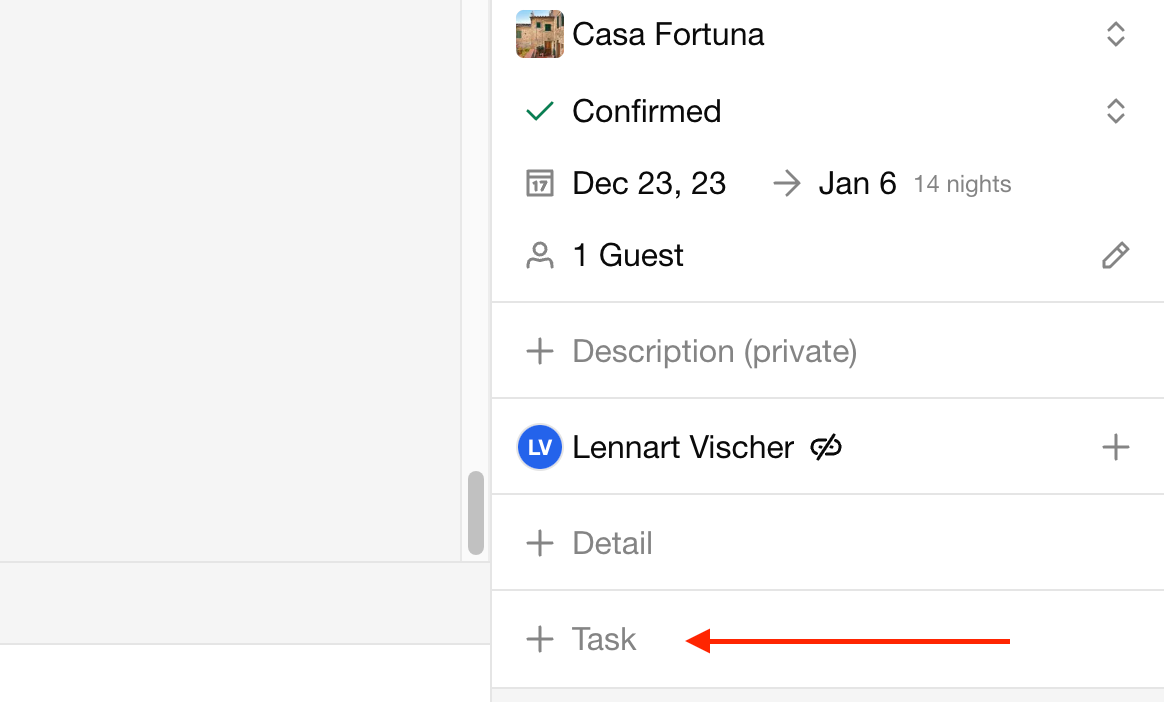
To add a task to a single booking, open the booking and add a task.
All tasks
Go to Tasks to see the tasks of all bookings with their Deadline, Assignees and Status: Todo, Overdue or Completed. Search and filter the list, for example to see only the tasks assigned to you.
Reminders
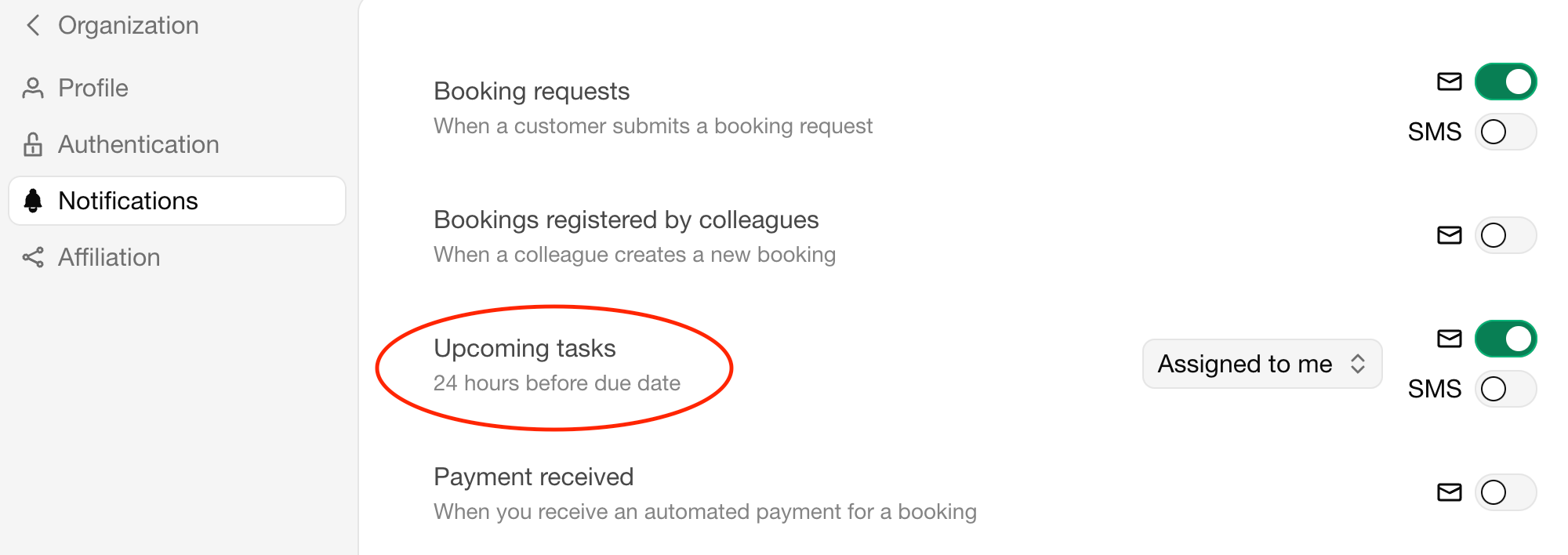
Team members can get an email or text message before a task is due, between 10 minutes and 24 hours in advance. Each team member sets this up under profile menu › Notifications › Upcoming tasks. See Notifications.
Tasks can also be included in iCal exports, so they appear in a team member's own calendar.
Last modified November 3, 2026