After booking
Choose what guests see after they book or send a booking request through a widget or website.
Open the widget or website under Channels.
Make sure the Interaction is Book.
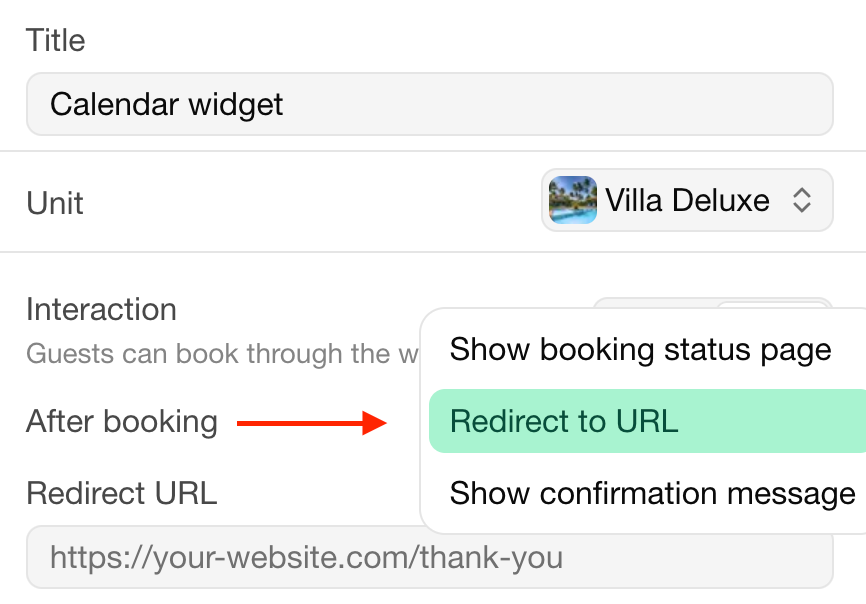
Under After booking, choose:
Show guest page: the booking's guest page, where guests can pay. The default.
Redirect: a page of your own website, such as a thank-you page.
Show confirmation message: a message in the widget itself.
Under On failed payment, enter the page to send guests to when their online payment fails.
Parameters
When redirecting, Bookingmood adds the details of the booking to the URL (?product=…&start=…), for example for conversion tracking:
| Parameter | Value |
|---|---|
product | Name of the booked unit |
start | Arrival date as YYYY-MM-DD |
end | Departure date as YYYY-MM-DD |
reference | Booking reference |
total | Total price of the booking |
full_name | Hashed full name of the guest |
email | Hashed email address of the guest |
phone | Hashed phone number of the guest |
| Name of a capacity group | Number of guests in that group |
Última modificación 3 de noviembre de 2026