TeleportHQ
You can embed calendars from Bookingmood in TeleportHQ.
Create a widget
You will need to create a widget in Bookingmood first. Learn how to create it here: Creating a widget.
Click on Embed and copy the Inline embed code. You will need this in the next step.
Add the widget to your TeleportHQ project
Add an element by clicking on the + button.
Drag and drop the Code Embed element into your page.
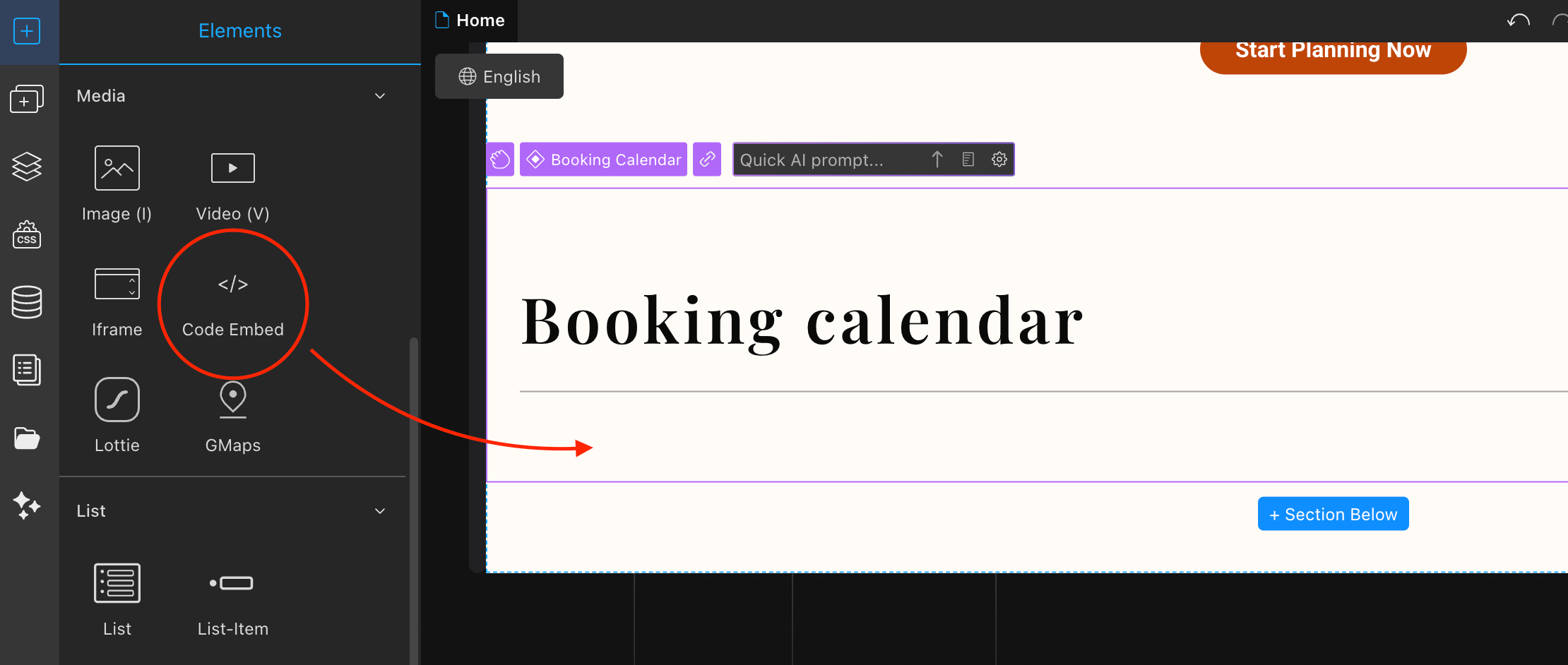
Paste the iframe-part of the embed code you copied.
<iframe
  src="YOUR-EMBED-URL"
  style="width:100%;border:none"
></iframe>
Save it.
Open the project menu and click on Project Settings.

Click on Custom Code.
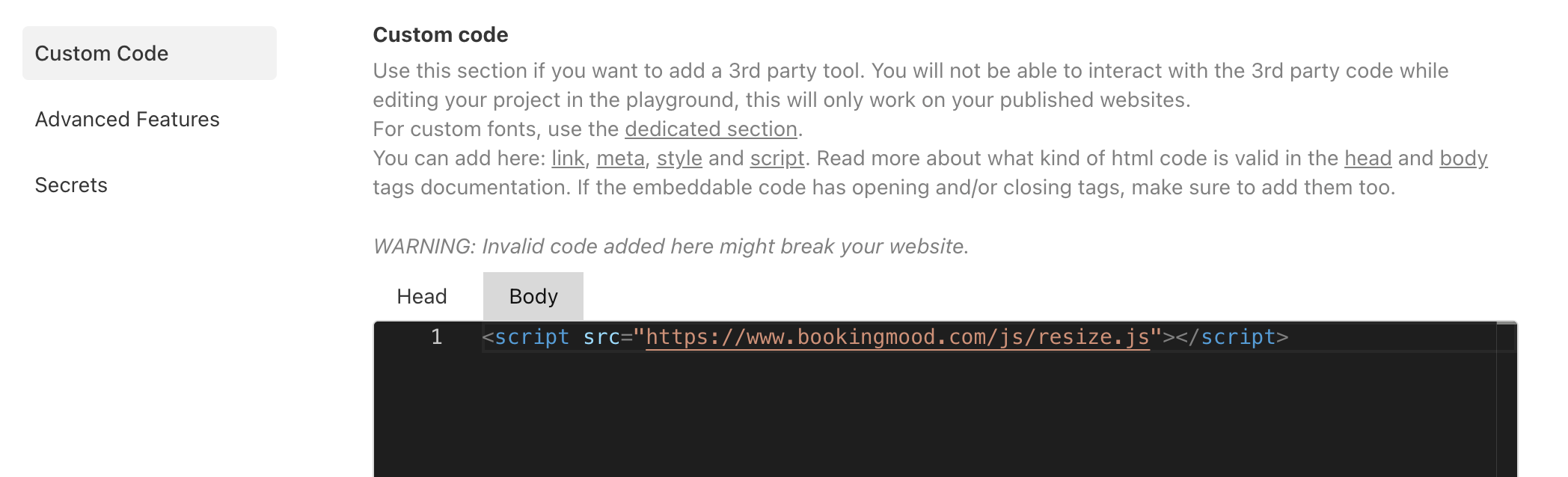
Add the following code in the body section:
<script src="https://www.bookingmood.com/js/resize.js"></script>
So it looks like this:
Save it.
Note that the calendar may appear cut off or may not display correctly in the TeleportHQ editor. Please check the live, published website to see how it is displayed correctly.
🎉 You're done and everything is set! Changes you make to your calendar will automatically reflect on your website.