Rent prices
The rent of a unit can be a single price, or vary by number of guests, season, length of stay and more. Extra fees, such as a cleaning fee or a tourist tax, are added in the booking form.
Choose how you define prices
Open a unit and go to Rent. Under Price definition, choose:
Standard: rent prices and restrictions that apply to all dates, split by season where needed. Explained on this page.
Price calendar: set prices and restrictions per date. See Price calendar.
PriceLabs: prices come from PriceLabs. See the PriceLabs integration.
Add a base price
Open a unit and go to Rent.
Click Edit on the price.

Enter an amount and choose what it's for:
Per booking (select nothing)
Per Night (or Day, for units rented per day)
Per Week
Per Custom period, such as a weekend
Per capacity group, such as per adult or per child, see Capacity
A combination, for example per night per adult
Add a price per week or weekend
Click + Variant.
Select Week to enter the price per week.
Select Custom period to enter the price for another period, such as a weekend.
When several variants apply to a stay, guests get the lowest price.

Different prices per season
Click Split › Split by season.
Click + Segment and select or create a Season.
Enter the price for each segment.
Seasons are shared by all units. A season can repeat Each year or happen One-time.
Discounts for longer stays
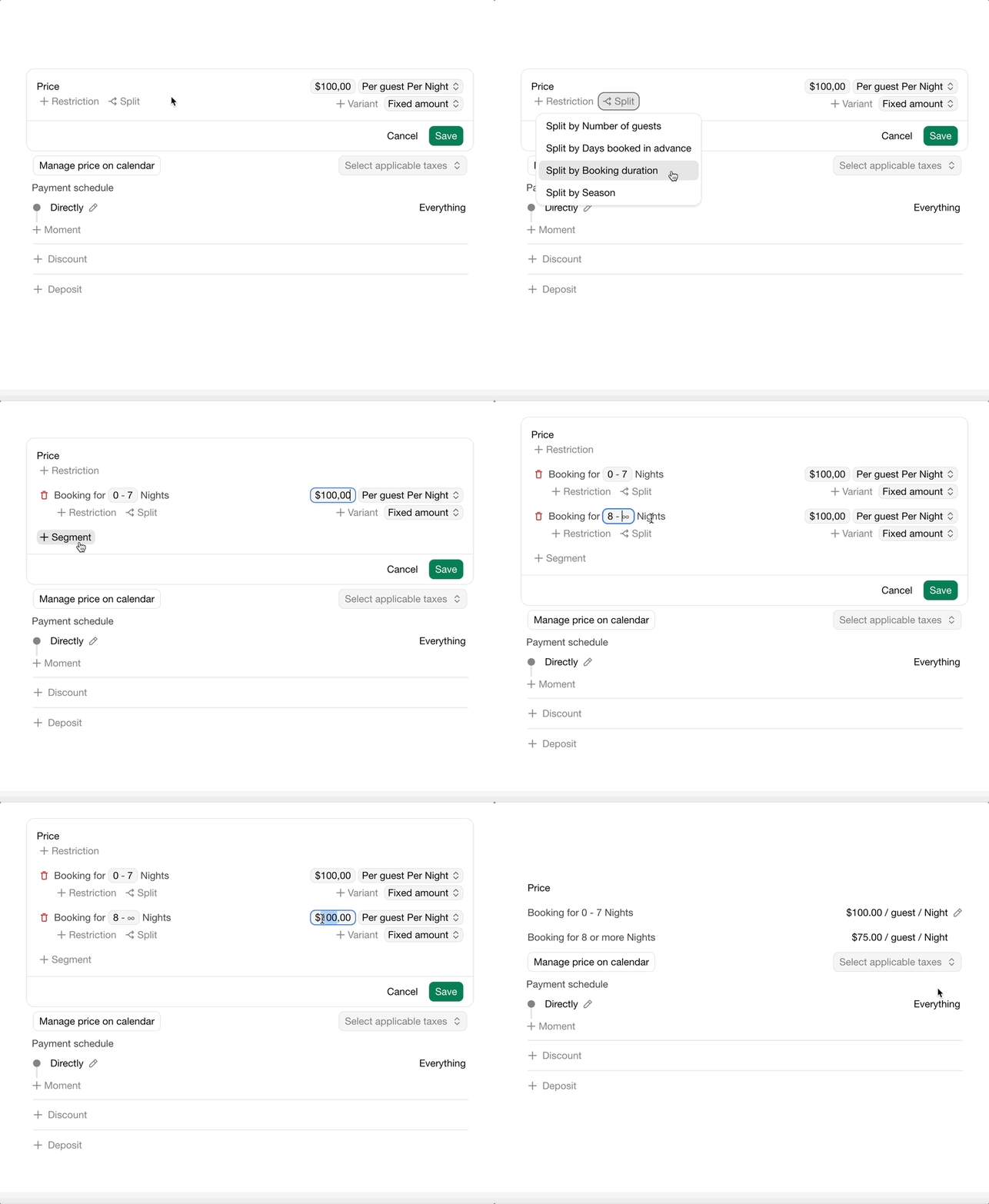
Option 1: Split by booking duration
Click Split › Split by booking duration.
Click + Segment to add a price for longer stays, for example from 7 nights.
Option 2: Add a discount
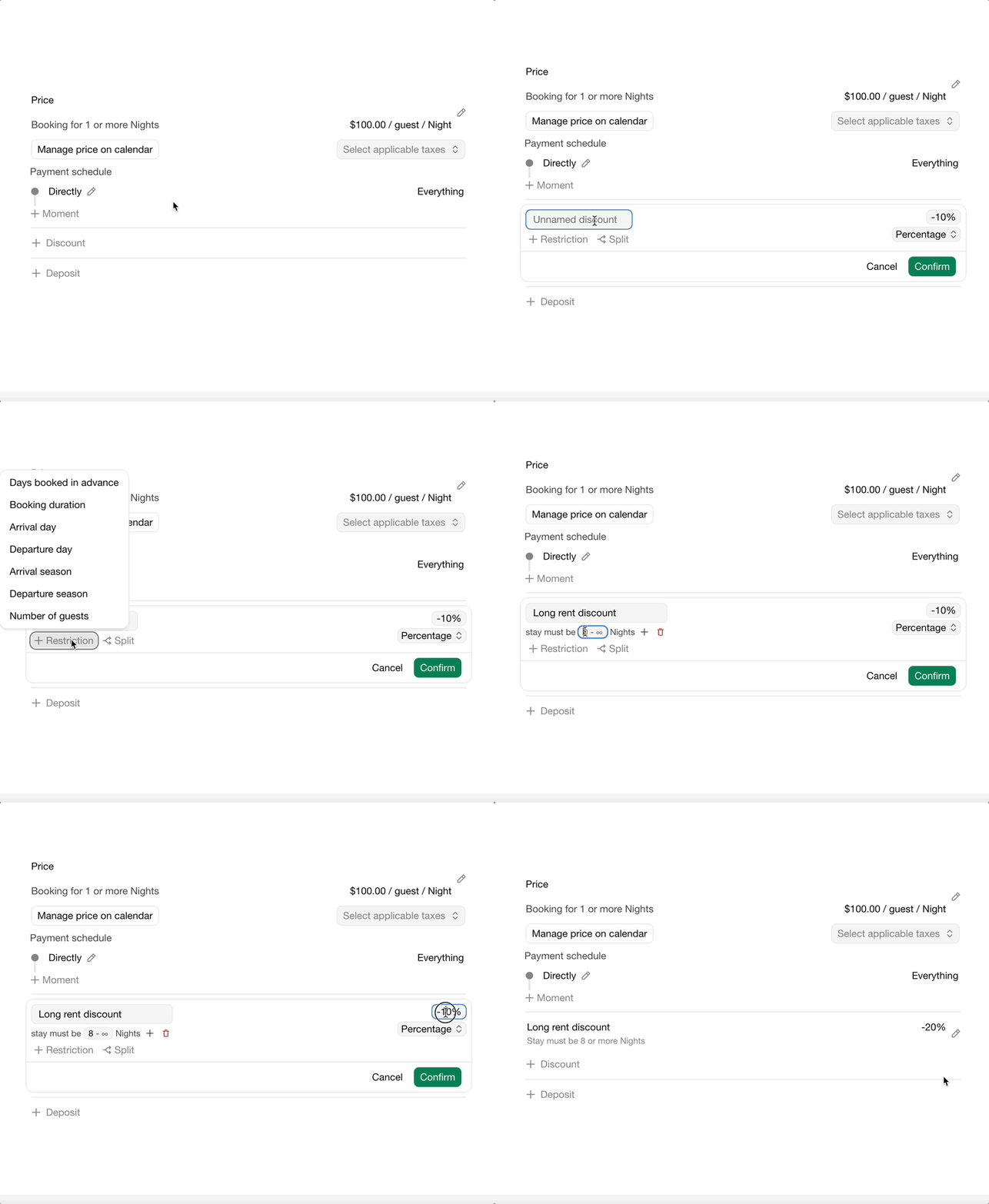
Add a discount with a precondition on the booking duration, as a Fixed amount or a Percentage.
Taxes
Select the taxes that apply to the rent, such as VAT. See Taxes.
Payment schedule
The Payment schedule sets when guests pay the rent: all at once, or in installments, for example 30% at confirmation and the rest 30 days before arrival. The last payment is automatically adjusted so the full amount is charged. See Booking payments.
Refundable deposit
A refundable deposit is money guests pay as security against damage, which you return after their stay.
Click + Deposit.
Enter the amount and the Refund policy: when the deposit should be returned.
Bookingmood doesn't return deposits automatically. Open the booking to see which deposits are due, see Refunds.
FAQ
Why is the price split into several parts?
Fields of the booking form can have their own price and payment schedule. When it differs from the rent's, guests see the parts as separate payments.
Posledná zmena 3. novembra 2026