Bolt.new
You can embed calendars from Bookingmood in Bolt.new.
Create a widget
You will need to create a widget in Bookingmood first. Learn how to create it here: Creating a widget.
Click on Embed and copy the Inline embed code. You will need this in the next step.
Add the widget to your Bolt.new project
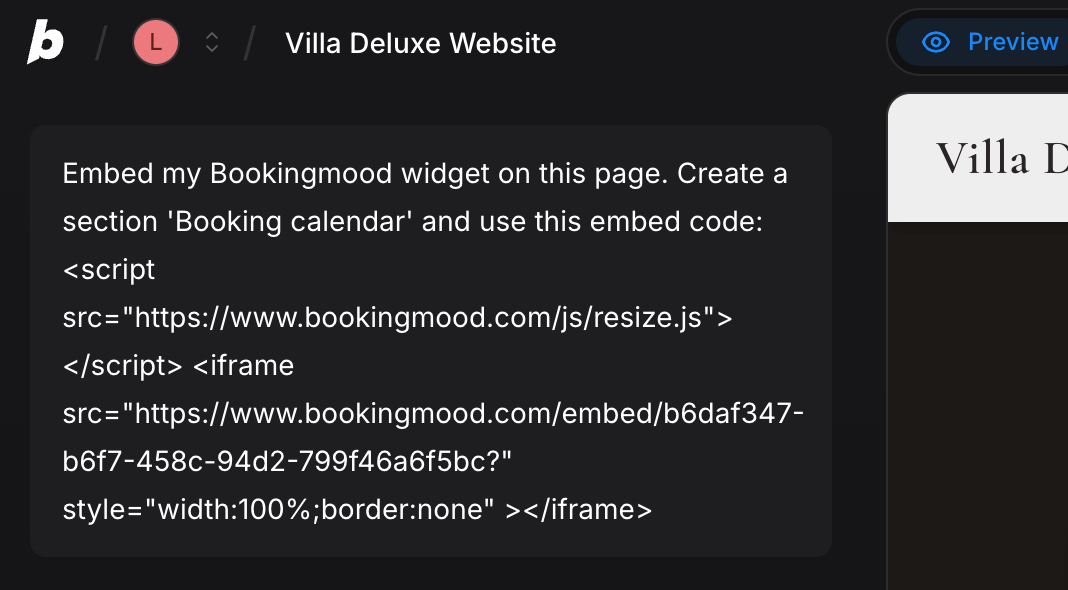
You can use this prompt:
Embed my Bookingmood widget on this page. Create a section 'Booking calendar' and use this embed code:
[[Paste the inline embed code from Bookingmood here]].
Please note that the preview may show a broken calendar, but it should display normally on the published site.
🎉 You're done and everything is set! Changes you make to your calendar will automatically reflect on your website.