Notifications
Stay up to date on new bookings, payments, upcoming tasks and other important events. Notifications are sent by email, and some can also be sent as a text message (SMS). Each team member chooses their own notifications.
Enable notifications
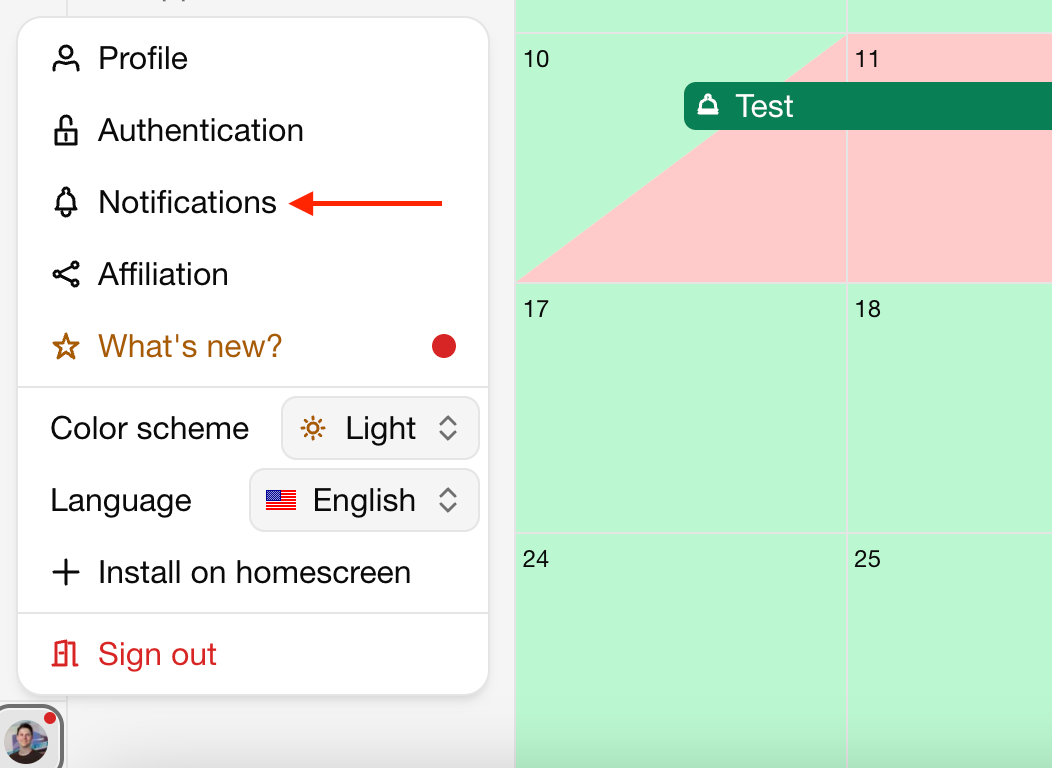
Click on your name in the bottom left corner.
Click on Notifications.
Use the switches to turn on email (envelope icon) or SMS (phone icon) notifications.
Changes are saved automatically.
Available notifications
| Notification | When | SMS | |
|---|---|---|---|
| Booking requests | A guest submits a booking request | ✓ | ✓ |
| Instant bookings | A guest makes an instant booking | ✓ | ✓ |
| Bookings registered by colleagues | A team member adds a booking. You are not notified about bookings you add yourself. | ✓ | |
| Upcoming tasks | A task is almost due | ✓ | ✓ |
| Payment received | An automated payment for a booking is received | ✓ | |
| New reviews | A guest leaves a review | ✓ | |
| Calendar import failures | An external calendar import fails or is deactivated | ✓ | |
| Organization invites | Someone invites you to an organization | ✓ | |
| Account updates | Your trial expires, your credits run out, onboarding tips, etc. | ✓ |
Upcoming tasks
For task notifications you can also choose:
Which tasks: Assigned to me only notifies you about tasks assigned to you. All notifies you about every task for the units you have access to.
How far in advance: anywhere from 10 minutes to 24 hours before a task is due.
Who receives notifications
Notifications are only sent to team members who have access to the unit involved:
Admins and Superusers can receive notifications for all units.
Users receive notifications based on the Notifications permission they have for each unit. See team member permissions.
No access: no notifications for this unit.
Non-financial: booking and review notifications.
Full access: all of the above, plus Payment received.
Upcoming tasks follow the task settings described above instead. Calendar import failures are only sent to Admins and Superusers.
SMS notifications
To receive text messages, add your phone number first:
Click on your name in the bottom left corner.
Click on Authentication.
Enter your phone number and save it.
Optionally, click Send test message to check that messages arrive.
SMS notifications are available for booking requests, instant bookings and upcoming tasks. Message frequency varies and message and data rates may apply. You can opt out at any time by replying STOP.